
WordPress widgets are like handy tools that help you customize your site’s sidebar and footer. They make adding features like calendars, social media feeds, and subscription forms a breeze. Dive in and unleash your site’s potential with just a few clicks!
What are WordPress Widgets and How to Use Them?
Are you looking to enhance your WordPress site and make it truly your own? If so, you’ve probably heard about widgets, those nifty little tools that can help you customize your site without needing to dive into any complicated coding. But what exactly are WordPress widgets, and how can they transform your website into a vibrant, engaging space? In this article, we’ll break down the basics of widgets, explore their many uses, and show you how to harness their power to create a website that not only looks great but also meets your unique needs. Whether you’re a seasoned WordPress pro or just getting started, you’ll discover that mastering widgets is a game-changer for your online presence. So, let’s dive in and unlock the full potential of your WordPress site together!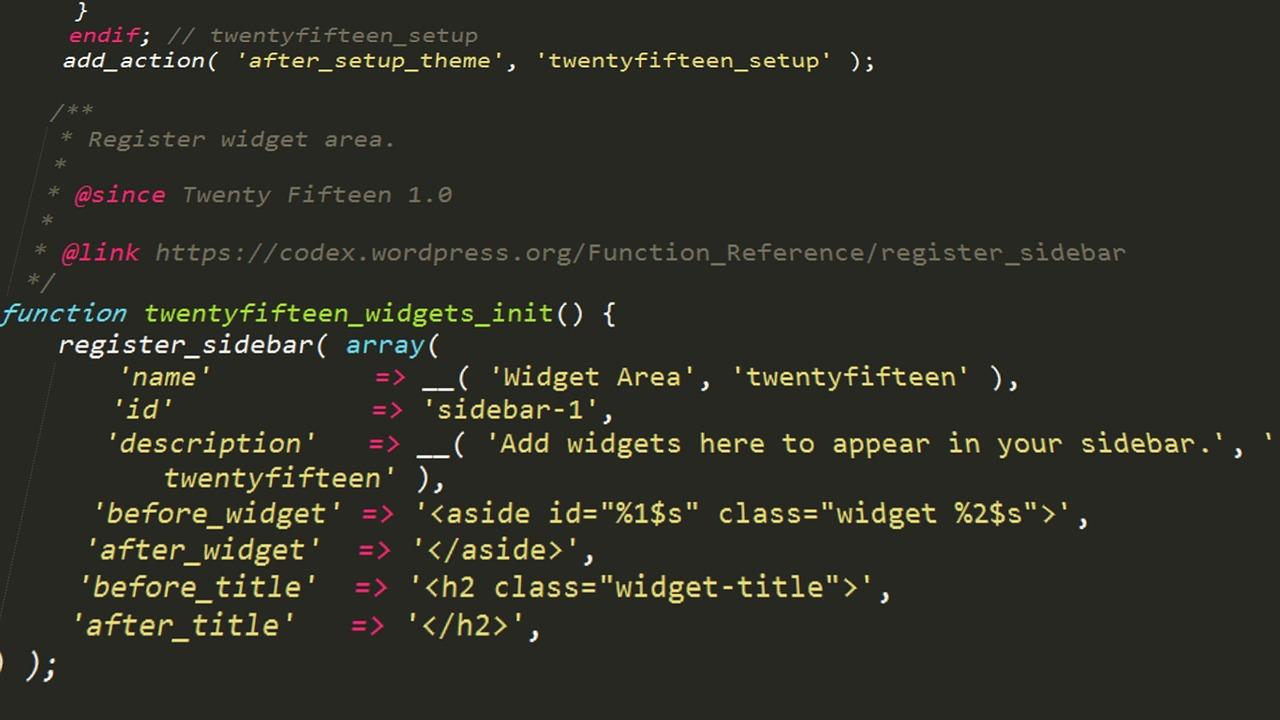
Understanding WordPress Widgets and Their Importance
Widgets are versatile tools that enhance the functionality of your WordPress site, allowing you to add various features and elements without needing to dive into complex coding. Think of them as building blocks that can be easily arranged to create a unique layout tailored to your audience’s needs. By utilizing widgets effectively, you can significantly improve user engagement and site aesthetics.
One of the primary advantages of widgets is their customizability. WordPress comes equipped with several default widgets, but you can also find numerous plugins that introduce additional widgets, offering everything from social media feeds to custom forms. Here are a few common types of widgets you might consider adding to your site:
- Text Widget: Perfect for adding custom text, HTML, or shortcodes.
- Image Widget: Great for showcasing logos or promotional images.
- Video Widget: Embed videos from platforms like YouTube or Vimeo.
- Recent Posts Widget: Display a list of your latest blog entries.
- Social Media Widget: Connect with your audience on various social platforms.
Using widgets not only enhances the functionality of your website but also improves its overall appearance. A well-structured sidebar or footer can lead to a better user experience, encouraging visitors to explore more of your content. For instance, you can place important announcements, categories, or tags in these areas, guiding users seamlessly through your site.
Another key factor to consider is the importance of placement. The strategic positioning of widgets can lead to better engagement rates. For example, placing a newsletter signup form prominently in your sidebar can help increase subscriptions. Experiment with different layouts to find what resonates best with your audience. Here’s a simple table illustrating effective widget placements:
| Widget Type | Best Placement | Purpose |
|---|---|---|
| Recent Posts | Sidebar | Encourage blog exploration |
| Social Media Links | Footer | Enhance connectivity |
| Newsletter Signup | Header or Sidebar | Increase subscriptions |
embracing widgets in your WordPress site can dramatically enhance both functionality and user satisfaction. They are easy to use, customizable, and allow you to create a site that not only looks good but works effectively for your readers. Whether you’re a blogger, a business owner, or an artist looking to showcase your portfolio, mastering widgets can unlock a plethora of opportunities for engagement and interaction.
The Essential Components of WordPress Widgets
WordPress widgets are small blocks that perform specific functions and can be added to various areas of your website, such as sidebars, footers, and even within the content itself. Understanding the essential components of these widgets can significantly enhance your site’s functionality and user experience.
Types of Widgets
Widgets come in various formats, each serving a unique purpose. Here are some common types:
- Text Widget: A versatile widget that allows you to add custom text, HTML, or shortcodes.
- Image Widget: Perfect for displaying images, logos, or banners.
- Recent Posts Widget: Automatically displays a list of your latest blog posts.
- Categories Widget: Lists your blog categories, helping users navigate your content.
- Custom HTML Widget: For advanced users, this widget lets you insert any HTML code.
Widget Areas
WordPress offers predefined areas where you can place your widgets, typically known as widget areas. These areas vary by theme, but common ones include:
- Sidebar: The most popular widget area, usually found on the left or right side of the content.
- Footer: An area at the bottom of the page, ideal for links, copyright notices, and other information.
- Header: A less common area that can display branding or call-to-action buttons.
Customizing Widgets
One of the most attractive features of widgets is their customizability. Each widget generally comes with its own set of options, allowing you to:
- Change titles and placement.
- Adjust styles and layouts.
- Set visibility conditions based on user roles or device types.
For example, if you want to display a widget only to logged-in users, many plugins can help you achieve that easily.
Using Widgets Effectively
To truly leverage the power of widgets, consider the following best practices:
- Prioritize User Experience: Ensure that widgets enhance navigation and do not clutter your layout.
- Test Responsiveness: Always check how your widgets look on mobile devices and tablets.
- Regular Updates: Keep your widgets updated and remove any that no longer serve a purpose.
Conclusion
Understanding these essential components will empower you to optimize your WordPress site effectively. By experimenting with different widgets and configurations, you can create a more engaging and interactive experience for your audience.
Exploring the Different Types of Widgets Available
How to Add and Customize Widgets in Your Sidebar
Customizing your sidebar with widgets can enhance your website’s functionality and improve user experience. Follow these steps to effectively add and customize widgets in your WordPress sidebar:
Add Widgets
First, let’s get those widgets into your sidebar:
- Navigate to Appearance: In your WordPress dashboard, hover over the “Appearance” menu item and click on “Widgets.”
- Select Your Sidebar: On the Widgets page, you’ll see several widget areas. Choose the sidebar where you want to add your widgets.
- Drag and Drop: From the list of available widgets, simply drag your desired widget and drop it into the sidebar area.
Customize Your Widgets
Once you’ve added your widgets, it’s time to make them your own:
- Click to Edit: Each widget will have a small triangle in the top right corner. Click this to expand the settings for each widget.
- Add Titles: Most widgets allow you to add a title. Don’t miss this opportunity to make your content more engaging!
- Adjust Content: Depending on the widget type, you can adjust settings such as links, images, or text content to match your brand’s voice and design.
Rearranging and Removing Widgets
After customizing, you may want to rearrange or remove widgets:
- Drag to Rearrange: Just click and drag any widget within the sidebar to reorder them as you see fit.
- Remove a Widget: To remove a widget, click the triangle to expand it, then select “Remove.” Confirming will delete it from your sidebar.
Preview Changes
Before finalizing your changes, preview your sidebar:
- Use the Customizer: Click on “Customize” under the Appearance menu to see your sidebar in real-time as you make changes.
- Check Responsiveness: Make sure to view your site on different devices to ensure your widgets look great everywhere.
Tips for Effective Widget Use
Here are a few tips to keep in mind while customizing your widgets:
| Tip | Benefit |
|---|---|
| Limit the Number of Widgets | Too many can overwhelm visitors. |
| Use Visual Elements | Images or icons can attract attention. |
| Test Regularly | Keep your content fresh and engaging. |
By following these steps and tips, you can create a sidebar that not only looks appealing but also serves as a powerful tool for engaging your audience and enhancing their experience on your site.
Best Practices for Organizing Your Widgets Effectively
Organizing your widgets effectively can transform your WordPress site into a more user-friendly experience. To achieve this, consider the following strategies that will help streamline your widget management and enhance your website’s functionality.
- Prioritize Your Content: Begin by determining which widgets are most important for your site. This could include a search bar, recent posts, or social media links. By focusing on the essentials, you can avoid clutter and guide your visitors to key areas of your site.
- Group Similar Widgets: If you have several widgets that serve a similar purpose, consider grouping them together. For instance, you might place all social media links in one widget area. This not only saves space but also provides a cleaner look.
- Utilize Widget Visibility Options: Take advantage of visibility settings. WordPress allows you to show or hide widgets based on specific conditions, such as user roles or page types. This feature enables you to create a tailored experience for your visitors.
- Regularly Review Your Widgets: It’s important to periodically assess your widget usage. Are there any widgets that are no longer relevant? Removing outdated or unused widgets can significantly enhance your site’s performance while keeping it fresh and engaging.
To give you a clearer overview of how to manage your widgets, here’s a simple table highlighting the types of widgets and their potential uses:
| Widget Type | Common Uses |
|---|---|
| Text Widget | Add custom HTML, text, or shortcodes. |
| Image Widget | Display images or logos to enhance your branding. |
| Recent Posts Widget | Showcase your latest blog entries to keep content fresh. |
| Social Media Widget | Integrate and promote your social media platforms. |
always remember to test the layout of your widgets. What looks good in the widget area might not translate well on different devices or screen sizes. Use responsive design principles to ensure compatibility across all platforms, making fine-tuning easy and effective.
By implementing these best practices, you can effectively organize your widgets, enhancing not just the aesthetics of your site, but also its functionality and user engagement. Keep your website dynamic and inviting with a thoughtful approach to widget management!
Enhancing User Experience with Dynamic Widgets
Dynamic widgets are a game-changer in how we approach user engagement on our WordPress sites. Unlike static widgets, which display the same content regardless of the context, dynamic widgets adapt their content based on specific parameters. This adaptability enhances user experience by providing personalized content tailored to each visitor’s needs and preferences.
Imagine a user landing on your blog. With dynamic widgets, they could see:
- Recent Posts: Articles that are trending or recommended based on their browsing history.
- Related Products: Items that complement their interests if you’re running an eCommerce site.
- Location-Based Content: News or events specific to their geographical area.
This level of personalization not only captures visitors’ attention but also encourages them to stay longer on your site. By implementing dynamic widgets, you can effectively guide users through a more engaging and tailored journey.
Moreover, the flexibility of dynamic widgets can also enhance your site’s performance. For example, you can use conditional logic to display widgets only to certain user segments, reducing clutter and improving load times. This leads to a smoother user experience, which is crucial for retaining visitors and reducing bounce rates.
| Dynamic Widget Type | Advantages |
|---|---|
| Social Media Feeds | Keeps content fresh and encourages user interaction. |
| Newsletter Sign-Up | Targeted prompts can increase subscription rates. |
| Call-to-Action Buttons | Personalized offers can drive conversions significantly. |
To get started with dynamic widgets, consider using plugins that offer enhanced functionalities. Many of these plugins allow you to customize visibility settings, ensuring that only the most relevant content reaches your audience. This means you can create a more engaging experience without extensive coding knowledge!
Embracing dynamic widgets is not just about keeping up with trends; it’s about creating an inviting atmosphere where users feel valued. By making your content more relevant and engaging, you’re likely to see an increase in user satisfaction, which translates to better overall performance for your site.
Tips for Using Widgets to Boost Your Site’s Functionality
Utilizing widgets effectively can transform your website from a basic setup into a dynamic hub that enhances user experience. Here are some strategies to maximize the functionality of your site with widgets:
- Prioritize User Experience: Use widgets that simplify navigation and make important content easily accessible. Consider adding a search bar widget at the top of your sidebar to help users find what they’re looking for without hassle.
- Showcase Social Proof: Integrate social media feed widgets to display real-time updates. This not only keeps your content fresh but also builds trust with visitors by showcasing your engagement on social platforms.
- Highlight Key Content: Utilize featured post widgets to draw attention to your most important articles or pages. This can significantly improve your click-through rates by directing visitors to your best content.
- Encourage Interaction: Incorporate a comments or reviews widget to foster community interaction. Engaging your audience can lead to increased visits and time spent on your site.
Moreover, consider these additional tips for widget placement:
| Widget Type | Best Placement | Purpose |
|---|---|---|
| Search Widget | Top Sidebar | Easy access to search functionality |
| Newsletter Signup | Footer or Sidebar | Grow your email list effectively |
| Recent Posts | Sidebar | Keep content fresh and engaging |
| Social Media Links | Header or Footer | Enhance social engagement |
Lastly, don’t forget to regularly review and update your widgets. Outdated content or links can frustrate users and detract from your site’s credibility. Schedule a periodic audit to ensure that all widgets are functioning as intended and that they remain relevant to your audience’s interests.
Troubleshooting Common Widget Issues
Maximizing Your Sites Potential with Third-Party Widgets
Enhancing your website’s functionality and appeal can be achieved seamlessly with third-party widgets. These tools can transform a standard WordPress site into a dynamic platform that meets the varying needs of your audience. They offer a range of features that allow you to add interactive elements, improve user experience, and even boost your site’s search engine ranking.
One of the most compelling reasons to integrate third-party widgets is their ability to provide customization. Unlike standard widgets, third-party options often come with extensive configuration settings, allowing you to tailor their appearance and functionality to align with your brand’s identity. For instance, you can use social media feeds to showcase your latest posts, integrate forms for lead generation, or display customer testimonials to build trust.
When selecting widgets, consider these key benefits:
- Enhanced Interactivity: Widgets like chatbots and live polls engage users in real-time.
- Improved Analytics: Adding analytics widgets helps you track user behavior, guiding future content strategy.
- SEO Optimization: Many widgets can improve site speed and user experience, essential factors for SEO.
To ensure smooth integration, it’s essential to choose reliable third-party widgets. Be on the lookout for plugins that are:
- Regularly Updated: This ensures compatibility with your WordPress version and security patches.
- Well-Reviewed: Check user reviews and ratings to gauge performance and support.
- Lightweight: Avoid widgets that slow down your site; speed is crucial for user retention.
Here’s a simple comparison table of some popular third-party widget options:
| Widget Name | Features | Integration |
|---|---|---|
| Social Media Feed | Live updates, customizable layout | Easy, with shortcode support |
| Contact Form | Drag-and-drop builder, spam protection | Simple integration with email services |
| Review Showcase | User ratings, customizable display | Integrates with multiple platforms |
By leveraging third-party widgets, you not only maximize your site’s potential but also create a tailored experience for your users. This strategic enhancement can lead to increased engagement, higher conversion rates, and ultimately, a more successful online presence. Dive into the array of available widgets, experiment, and see how they can elevate your WordPress site to new heights!
Future Trends in WordPress Widgets You Should Know About
As we look ahead, the landscape of WordPress widgets is evolving in exciting ways. Developers are constantly innovating, paving the way for enhancements that not only improve user experience but also drive engagement. Here are some trends that you should keep an eye on:
- Block-Based Widgets: With the rise of the Gutenberg editor, widgets are becoming more block-oriented. This means users can create more dynamic and visually appealing layouts directly within their widgets, allowing for greater customization and flexibility.
- AI-Driven Widgets: Artificial intelligence is set to revolutionize how widgets function. Imagine widgets that learn from user behavior and adapt their content accordingly, offering personalized recommendations and insights.
- Enhanced Accessibility Features: As web accessibility becomes a priority, expect to see widgets that are designed with inclusivity in mind. These will include features like keyboard navigation and screen reader support, ensuring that everyone can interact with your site.
Additionally, the integration of third-party APIs will make widgets more powerful than ever. Whether it’s pulling in social media feeds, displaying real-time data, or showcasing interactive content, the potential for widgets to connect with other platforms is expanding. This connectivity not only enriches the user experience but can significantly enhance your site’s functionality.
| Trend | Description |
|---|---|
| Block-Based Widgets | Widgets that use the Gutenberg block system for easy customization. |
| AI-Driven Widgets | Widgets that adapt content based on user interactions and preferences. |
| Accessibility Features | Widgets designed to ensure usability for all users, including those with disabilities. |
| Third-Party Integration | Enhanced functionality by connecting with external APIs and services. |
The move towards more responsive design is another key trend. As mobile browsing continues to dominate, widgets must be optimized for all devices. This means ensuring that your widgets not only look great on desktop but also function seamlessly on smartphones and tablets. Responsive widgets will enhance the mobile user experience, making it easier for visitors to engage with your content no matter where they are.
the emphasis on analytics and performance tracking for widgets is gaining traction. With built-in analytics, website owners can gain insights into how widgets are performing, enabling them to make data-driven decisions. Knowing what works and what doesn’t will allow for continuous improvement, ultimately leading to a more engaging and successful site.
Frequently Asked Questions (FAQ)
Q&A: What are WordPress Widgets and How to Use Them?
Q1: What exactly are WordPress widgets?
A1: Great question! WordPress widgets are small blocks of content that you can add to your website’s sidebars, footers, and other areas to enhance its functionality. Think of them as building blocks that allow you to customize your site without needing to dive into any complex coding. They can display anything from recent posts and comments to calendars, custom menus, or even social media feeds.
Q2: Why should I use widgets on my WordPress site?
A2: Using widgets can significantly enhance your site’s user experience. They help organize content and make it easy for visitors to find what they need. Plus, widgets can improve site navigation and engagement. For instance, if you showcase your latest blog posts via a widget, visitors are more likely to explore more content. In short, widgets can turn your site from ordinary to extraordinary!
Q3: How do I add a widget to my WordPress site?
A3: Adding widgets is a breeze! You can do it in just a few steps. First, go to your WordPress dashboard and navigate to Appearance > Widgets. From there, you’ll see a list of available widgets on one side and the widget areas on the other. Simply drag and drop the widget you want into your desired area. You can customize many widgets before saving them so they fit perfectly with your site’s theme!
Q4: Are there different types of widgets I can use?
A4: Absolutely! WordPress comes pre-loaded with a variety of widgets, such as text, image, video, categories, and tag clouds. Additionally, many themes and plugins offer custom widgets that can provide even more functionality, like displaying Instagram feeds or product listings from an e-commerce store. The possibilities are nearly endless!
Q5: Can I customize the appearance of my widgets?
A5: Yes! Most widgets come with options to customize their appearance. You can often change titles, colors, and layouts to align them with your website’s branding. If you’re a bit tech-savvy, you can even add custom CSS for more advanced styling. Making your widgets visually appealing will help them stand out and keep visitors engaged.
Q6: What if I want to remove or rearrange my widgets?
A6: No problem at all! Just head back to the Appearance > Widgets section in your dashboard. You can easily drag and drop widgets to rearrange them or click on the small down arrow on any widget to open it up and hit the ‘Delete’ button if you want to remove it entirely. It’s all about keeping your site fresh and relevant!
Q7: Are there any best practices for using widgets effectively?
A7: Definitely! Here are a few tips:
- Keep it simple: Avoid overcrowding your sidebars or footers with too many widgets. Less is often more!
- Prioritize: Place the most important widgets at the top for easier access.
- Mobile-first: Make sure your widgets look good on mobile devices since a significant amount of traffic comes from smartphones.
- Test: Regularly review and analyze which widgets are performing well and adjust accordingly.
Q8: Where can I find more widgets if I need them?
A8: If you’re looking for additional widgets, the WordPress Plugin Directory is your best friend! There are countless plugins available that add new widgets to your site. Just search for “widget” in the plugin repository, and you’ll discover options that can elevate your site’s functionality even further. Do some research, read reviews, and find the perfect fit for your needs!
Incorporating widgets into your WordPress site can be a game-changer. They make your website more functional, engaging, and tailored to your audience. So, why not give them a try? You’ll be amazed at how much they can enhance your site!
In Summary
WordPress widgets are powerful tools that can transform your website from ordinary to extraordinary. They offer you the flexibility to customize your site’s layout and functionality without needing to dive into complex coding. Whether you’re looking to add a simple text box, showcase your latest blog posts, or integrate social media feeds, widgets give you the freedom to enhance user experience and keep your visitors engaged.
So, why wait? If you haven’t explored the world of widgets yet, now’s the perfect time to start! Dive into your WordPress dashboard, experiment with different options, and see how these little gems can make a big difference on your site. Remember, a well-structured website not only captures attention but retains visitors and encourages them to come back for more.
If you found this article helpful, share it with fellow WordPress enthusiasts and let’s empower more people to make the most of their websites. Happy widgeting!

New Providers

Enjoy The Speed Of Downloading & Uploading With 1GBPS Port



Affordable Dedicated Servers & Colocation Services. Services: Dedicated Servers Colocation Private Cabinet Colocation DDoS Protection

Up to 85% off hosting + website builder

We specialize in providing Web hosting reviews. Where you can search for potential hosts.