
Unlock your creativity with Canva! Designing a stunning website has never been easier. This ultimate guide will empower you to transform your ideas into a captivating online presence. Let your imagination soar and create a website that truly reflects you!
How To Design a Website in Canva? (Ultimate Guide)
Unlock Your Creativity: The Ultimate Guide to Designing a Website in Canva
In today’s digital age, having a captivating website is not just a luxury; it’s a necessity. Whether you’re a budding entrepreneur, a passionate creative, or a seasoned business owner, your online presence speaks volumes about who you are and what you represent. But what if we told you that designing a stunning website doesn’t require advanced coding skills or a hefty budget? Enter Canva – a user-friendly design platform that empowers anyone, regardless of experience, to create beautiful websites that reflect their unique vision.
In this ultimate guide, we will take you step-by-step through the process of crafting a website using Canva. We’ll demystify the design process, inspire you with creative possibilities, and equip you with practical tips that will transform your ideas into a reality. Get ready to unleash your inner designer and make your mark on the web! Whether you’re looking to showcase your portfolio, launch a blog, or promote your business, this guide is your gateway to creating an eye-catching website that stands out in a crowded online landscape. Let’s embark on this creative journey together!
Understanding the Power of Canva for Website Design
Canva has revolutionized the way we approach website design, offering a user-friendly platform that empowers anyone to create stunning web pages without needing extensive design skills. With its intuitive interface, Canva simplifies the design process, making it accessible to entrepreneurs, content creators, and small business owners alike. This platform not only provides a plethora of templates but also encourages creativity with its drag-and-drop functionality.
One of the most compelling features of Canva is its rich library of templates. These templates are designed by professionals and cover a wide range of industries, ensuring that users can find a design that resonates with their brand identity. Here are some key aspects of Canva templates:
- Diverse Styles: From minimalist to vibrant, there’s a design for every personality.
- Fully Customizable: Change colors, fonts, and layouts with a few clicks.
- Responsive Designs: Templates are optimized for viewing on different devices.
Furthermore, Canva’s integration capabilities enhance its functionality. Users can easily connect their Canva designs to popular platforms like WordPress, Shopify, and social media, streamlining the process of launching a website. This means you can create graphics, banners, and even entire web pages in one place, reducing the time it takes to go from concept to launch.
For those looking to embellish their designs, Canva offers a vast library of graphics, photos, and icons. This extensive collection allows users to find the perfect visual elements to complement their content. Consider the following benefits of utilizing Canva’s media assets:
- High-Quality Images: Utilize professional-grade photos to enhance your site’s aesthetic.
- Unique Icons: Choose from thousands of icons to make your website stand out.
- Elements for Branding: Incorporate elements that align with your brand’s message and tone.
To help you navigate all these features effectively, it’s essential to plan your website structure beforehand. Here’s a simple table to outline a basic website layout that you can create using Canva:
| Section | Content Type | Purpose |
|---|---|---|
| Header | Logo, Navigation Menu | Branding + User Guidance |
| Hero Section | Image/Video + CTA | Engagement + Action |
| About Us | Text + Images | Inform + Connect |
| Services | List + Icons | Detail Offerings |
| Footer | Contact Info + Links | Navigation + Legal |
By harnessing the power of Canva, you are not just designing a website; you are creating an engaging digital experience tailored to your audience’s needs. With every element carefully selected and designed, your website will not only look professional but also resonate with your visitors, driving engagement and conversions. The possibilities are endless, and with Canva, the canvas is yours to paint.
Unleashing Your Creativity with Canva’s User-Friendly Interface
Designing a website can often feel like a daunting task, especially if you’re not a seasoned graphic designer. However, with Canva’s user-friendly interface, anyone can unleash their creative potential and craft a professional-looking website in no time. The platform is designed to be intuitive, making it easy for users of all skill levels to navigate its features and tools.
Start with Stunning Templates: One of the best features of Canva is its vast library of pre-designed templates. You can find options tailored for various industries and purposes, from portfolios to blogs. Here’s how to maximize this resource:
- Choose a template that resonates with your brand identity.
- Customize the layout to suit your content needs.
- Experiment with different color palettes to match your aesthetic.
Incorporate Visual Elements: Canva makes it incredibly easy to enhance your website with visuals. You can:
- Add high-quality images from Canva’s extensive library or upload your own.
- Utilize icons and graphics to break up text and add interest.
- Incorporate videos for engaging multimedia content.
Another essential aspect of web design is ensuring that your site is user-friendly. Canva allows you to preview your designs in real-time, so you can see how changes affect the overall look and feel. This feature is invaluable for making adjustments before finalizing your site. Consider implementing the following:
- Ensure clear navigation paths for users.
- Maintain a consistent style throughout the website to enhance visual harmony.
Lastly, Canva provides you with the option to export your design in various formats, making it seamless to integrate your graphics into your website. Whether you’re building a site from scratch or enhancing an existing one, Canva’s versatility can aid in creating a visually appealing and functional layout.
To streamline your design process, consider the following table that outlines key elements to focus on:
| Design Element | Purpose |
|---|---|
| Color Scheme | Sets the mood and reflects your brand |
| Typography | Enhances readability and conveys tone |
| Images and Graphics | Captures attention and supports messages |
| Layout | Organizes content and guides user experience |

Choosing the Right Template to Fit Your Vision
When embarking on your website design journey in Canva, selecting the right template is crucial for translating your vision into a stunning reality. With countless options available, it’s essential to align your choice with the goals and aesthetic of your project. Here are some considerations to help you navigate this creative landscape:
- Identify Your Purpose: Before diving into templates, clarify the primary goal of your website. Are you showcasing a portfolio, launching a blog, or creating an online store? This will significantly narrow your choices.
- Match Your Brand Aesthetic: Consider your brand’s identity. What colors, fonts, and styles resonate with your audience? Opt for a template that complements your branding and enhances your message.
- Focus on Functionality: Ensure the template you select supports the features you need. If you require e-commerce capabilities, look for templates designed with integrated shopping functionalities.
- Consider User Experience: A good template not only looks appealing but also guides visitors smoothly through your site. Choose one that balances design elements with intuitive navigation.
To make an informed decision, take advantage of the preview features in Canva. This allows you to visualize how your content will fit within the template’s framework. Additionally, consider these tips when exploring templates:
| Template Type | Best For | Key Features |
|---|---|---|
| Portfolio | Creative Professionals | Image galleries, project showcases, and contact forms |
| Blog | Writers & Influencers | Post layouts, categorization, and comment sections |
| E-commerce | Online Retailers | Shopping cart, product display, and payment integration |
| Business | Corporates & Startups | Service listings, testimonials, and team bios |
Remember, the template is just a starting point. Don’t hesitate to customize elements like colors, fonts, and images to better reflect your unique vision. Each modification you make can enhance your site’s personality and functionality, creating a more compelling experience for your audience.
take advantage of user feedback. Share your template choices with trusted peers or potential users to gather insights that may help refine your selection. The right template will not only facilitate the design process but also become the foundation upon which your online presence is built, inspiring visitors and fostering engagement.

Customizing Your Design to Reflect Your Brand Identity
When designing your website in Canva, it’s essential to ensure that every element resonates with your brand identity. This isn’t just about aesthetics; it’s about creating a cohesive experience that tells your brand’s story. Your choice of colors, fonts, and images all play a critical role in how visitors perceive your brand.
Define Your Color Palette: Colors evoke emotions and associations. Select a color scheme that aligns with your brand values and message. For instance:
- Blue: Trust, professionalism, calmness
- Red: Energy, passion, urgency
- Green: Growth, health, tranquility
- Yellow: Optimism, clarity, warmth
In Canva, use the color picker to create a palette that can be consistently applied across your website. This uniformity not only enhances visual appeal but also solidifies your brand’s identity in the minds of your audience.
Choose Fonts Wisely: Fonts are more than just letters; they convey your brand’s personality. Opt for typography that enhances readability while reflecting your brand’s tone. For example:
| Brand Personality | Recommended Fonts |
|---|---|
| Modern | Montserrat, Lato |
| Classic | Serif, Times New Roman |
| Playful | Pacifico, Comic Sans |
Combine one or two fonts for headings and body text to maintain a clean and professional look. Consistency in typography enhances user experience and keeps your brand recognizable.
Select Appropriate Imagery: Imagery is a powerful tool for storytelling. Use high-quality images that reflect your brand’s values and ethos. Canva offers a plethora of free and premium images, but ensure you select visuals that resonate with your audience.
Consider using your images for:
- Showcasing products or services
- Highlighting customer testimonials
- Creating relatable content that connects with your audience
Remember, your website is often the first interaction potential customers have with your brand. By customizing your design elements to echo your brand identity, you create a memorable and impactful experience that encourages engagement and fosters loyalty.
Incorporating Eye-Catching Graphics and Visual Elements
When it comes to designing a website, the visual appeal is just as crucial as the content itself. Eye-catching graphics and visual elements can transform a standard webpage into an engaging experience that captures your audience’s attention and invites them to explore further. Utilizing Canva’s extensive design tools, you can effortlessly incorporate vibrant visuals that align with your brand identity.
Start by selecting a cohesive color palette that resonates with your brand. Colors evoke emotions and set the tone for your website. Consider using contrasting colors for buttons and calls to action, making them stand out against the background. Canva allows you to create and save color palettes, ensuring consistency across your designs. Here are some tips for choosing the right colors:
- Understand Color Psychology: Different colors evoke different feelings. For example, blue conveys trust, while red signifies excitement.
- Limit Your Palette: Stick to 3-5 main colors to avoid overwhelming visitors.
- Test with Real Users: Get feedback on your color choices to see how they resonate.
Next, incorporate high-quality images that tell a story about your brand. Canva provides access to a vast library of stock photos, illustrations, and vectors. Remember, images should not only be high-resolution but also relevant to your content. Align your visuals with your messaging to create a cohesive narrative. Here are some types of images to consider:
- Hero Images: Use striking images at the top of your homepage to create an instant impact.
- Infographics: Simplify complex information into digestible visual formats that enhance understanding.
- Icons: Use custom icons to guide users through your site and highlight key features.
Another powerful strategy is to implement typographic hierarchy. Beautiful typography can significantly enhance the visual layout of your site. Canva offers numerous font combinations that can help establish a visual hierarchy, ensuring that your headings, subheadings, and body text stand out appropriately. Consider the following tips for typography:
- Pair Fonts Wisely: Combine a bold font for headings with a simpler font for body text for better readability.
- Maintain Consistency: Use a consistent font style across your website to create a unified look.
- Consider Line Spacing: Adequate spacing improves readability and enhances the overall aesthetic.
don’t underestimate the power of animation and interactive elements. Subtle animations can guide users’ attention and enhance their browsing experience. Canva allows you to animate text and graphics, making your website feel dynamic and engaging. However, use animations sparingly to avoid distracting your audience from the main message.
To summarize how to integrate these visual elements into your website, here’s a simple overview:
| Visual Element | Purpose |
|---|---|
| Color Palette | Establish brand identity and evoke emotions |
| Images | Enhance storytelling and provide visual interest |
| Typography | Create hierarchy and improve readability |
| Animations | Engage users and add interactivity |
By thoughtfully integrating these elements, your website will not only look professional but also captivate visitors, encouraging them to stay longer and interact more. With Canva at your disposal, the possibilities for creativity are endless!
Crafting Compelling Content That Engages Your Audience
Creating a captivating website that resonates with your audience starts with understanding their needs and desires. In the digital age, where attention spans are shorter than ever, it’s crucial to craft content that not only informs but also inspires. Using Canva as your design tool, you can easily blend aesthetics with functionality, ensuring your website serves as a powerful communication platform.
When designing your website, consider the following elements:
- Visual Hierarchy: Ensure that the most important information stands out. Use larger fonts, bold colors, and strategic placements to guide your visitors through your content.
- Consistent Branding: Your website should reflect your brand’s personality. Utilize your logo, color scheme, and typography consistently throughout to create a cohesive experience.
- Engaging Imagery: A picture speaks a thousand words. Use high-quality images or graphics that evoke emotion and enhance your message.
One of the most effective ways to keep your audience engaged is through storytelling. Share your brand’s journey, the challenges you’ve overcome, and how your offerings can improve your visitors’ lives. Use personal anecdotes and real-life examples to create a relatable narrative. This approach not only humanizes your brand but also builds trust with your audience.
Consider incorporating interactive elements to further engage your visitors. Features like polls, quizzes, or clickable infographics invite users to participate rather than passively consume content. This not only enhances user experience but also increases the time spent on your site, positively impacting your SEO.
To visualize your ideas effectively, Canva provides a range of customizable templates specifically designed for web usage. Here’s a quick comparison of template options you might consider:
| Template Type | Best For | Customization Options |
|---|---|---|
| Landing Page | Conversions | Text, Images, CTA Buttons |
| Portfolio | Showcasing Work | Gallery, Descriptions |
| Blog Layout | Content-Rich Sites | Post Formats, Sidebars |
always remember to analyze the performance of your content. Utilize analytics tools to understand which pages attract the most visitors and which elements encourage engagement. This data will guide your future content strategies, allowing you to continually refine your approach to meet your audience’s needs.

Optimizing Your Website Layout for Enhanced User Experience
Creating an effective website layout is crucial for delivering an outstanding user experience. When users land on your site, the layout dictates their first impressions, guiding them through your content seamlessly. To truly engage your audience, consider the following elements:
- Navigation: Ensure your menu is intuitive and easy to access. Use clear headings and limit options to avoid overwhelming visitors.
- Visual Hierarchy: Design your layout to lead users’ eyes naturally. Use size, color, and placement to highlight key information and calls to action.
- Responsive Design: With a growing number of users accessing websites on mobile devices, your layout must adapt to various screen sizes without losing functionality.
- Whitespace: Incorporate ample whitespace to create a clean and organized look. This helps to focus attention on important elements and reduces cognitive load.
- Consistent Branding: Utilize consistent colors, fonts, and styles to strengthen brand identity. This familiarity enhances user trust and recognition.
Another key aspect of optimizing your layout is the strategic placement of content. The arrangement of text, images, and interactive elements should encourage exploration. For example, consider the following layout structure:
| Section | Content Type | Purpose |
|---|---|---|
| Header | Logo, Navigation Menu | Establish brand identity and easy navigation |
| Hero Section | Large Image, Call to Action | Grab attention and prompt action |
| Body | Text, Images, Videos | Deliver valuable information and keep users engaged |
| Footer | Contact Info, Links | Provide additional resources and contact options |
testing your layout is essential. Gather user feedback and analyze behavior through tools like heatmaps or A/B testing. These insights allow you to refine your design continuously, ensuring an optimal experience that resonates with your audience. Remember, a well-optimized layout does not just look good; it makes the user’s journey delightful and efficient.
Utilizing Canva’s Collaboration Features for Team Projects
Canva is not just a powerful design tool; it’s also a fantastic platform for team collaboration. By utilizing its collaborative features, teams can work together seamlessly, enhancing productivity and creativity. Here’s how you can make the most of these features while designing a website.
First and foremost, inviting team members to your project can transform the way you design. With just a few clicks, you can share your project with colleagues or clients, allowing them to join in the editing process. The ability to add comments and feedback directly on the design fosters an interactive environment where ideas can flourish. This real-time communication ensures everyone is on the same page, making the design process more efficient.
Another valuable feature is version history, which allows you to track changes made over time. This is particularly useful for larger teams where multiple members may be contributing. If a design direction needs to be altered, you can easily revert to a previous version without losing any essential elements. This flexibility not only saves time but also encourages experimentation and creativity without the fear of making irreversible mistakes.
Additionally, the brand kit feature in Canva is a game changer for teams. It enables you to upload and manage brand assets such as logos, fonts, and colors in one place. By establishing a cohesive brand identity, all team members can access the necessary tools to maintain consistency across every design project. This is especially important when creating a website, as visual coherence enhances user experience and brand recognition.
To help you better understand Canva’s collaboration tools, here’s a quick comparison of their key features:
| Feature | Benefit |
|---|---|
| Real-time Collaboration | Work together instantly, share ideas and make changes on the fly. |
| Commenting | Provide specific feedback directly on the design, streamlining communication. |
| Version History | Easily revert to prior designs, promoting experimentation without risk. |
| Brand Kit | Maintain brand consistency by centralizing logos, colors, and fonts. |
leveraging Canva’s shared folders can keep your team organized. By categorizing designs into specific folders, every member knows where to find assets, reducing time spent searching for files. This organization supports a more streamlined workflow, allowing creative energy to focus on designing the best website possible.
Implementing SEO Best Practices in Your Canva Design
When creating a stunning website in Canva, it’s not just about aesthetics; it’s also crucial to ensure your design is optimized for search engines. By implementing SEO best practices, you can enhance the visibility of your site and attract a larger audience. Here are some effective strategies to consider:
- Keyword Research: Start by identifying relevant keywords related to your content. Use tools like Google Keyword Planner or Ubersuggest to find terms that potential visitors are searching for. Incorporate these keywords naturally into your design elements.
- Image Optimization: Canva allows you to create beautiful visuals, but don’t forget to optimize them for SEO. Ensure that your images are high-quality and compressed for faster loading times. Use descriptive file names and alt text that includes your target keywords.
- Responsive Design: Ensure that your website design is mobile-friendly. A responsive design adjusts smoothly to different screen sizes, enhancing user experience and reducing bounce rates, which is a critical factor for SEO rankings.
- Internal Linking: Incorporate internal links within your Canva designs. These links guide visitors to other relevant pages on your site, helping search engines understand your content’s structure and improving your site’s authority.
- Meta Descriptions: Although Canva doesn’t provide a direct option for meta descriptions, you can plan them in your content strategy. Ensure to write compelling meta descriptions for each page and include targeted keywords to improve click-through rates from search engines.
Utilizing these SEO best practices not only helps in gaining visibility but also enhances the overall user experience. As you create your website, remember that a well-optimized site can lead to higher engagement and conversions. Keep your audience in mind and design with both aesthetics and functionality in harmony.
To summarize, here’s a concise overview of essential SEO elements to integrate into your Canva design:
| SEO Element | Best Practices |
|---|---|
| Keywords | Use relevant keywords in titles, descriptions, and content. |
| Images | Optimize images with alt text and descriptive file names. |
| Mobile Responsiveness | Ensure your design is adaptable to all devices. |
| Internal Links | Link to related content to enhance navigation and authority. |
| Meta Descriptions | Craft compelling summaries with key phrases for each page. |
By embracing these strategies, your Canva designs will not only be visually appealing but also primed to perform well in search engine results, ultimately driving more traffic to your site.
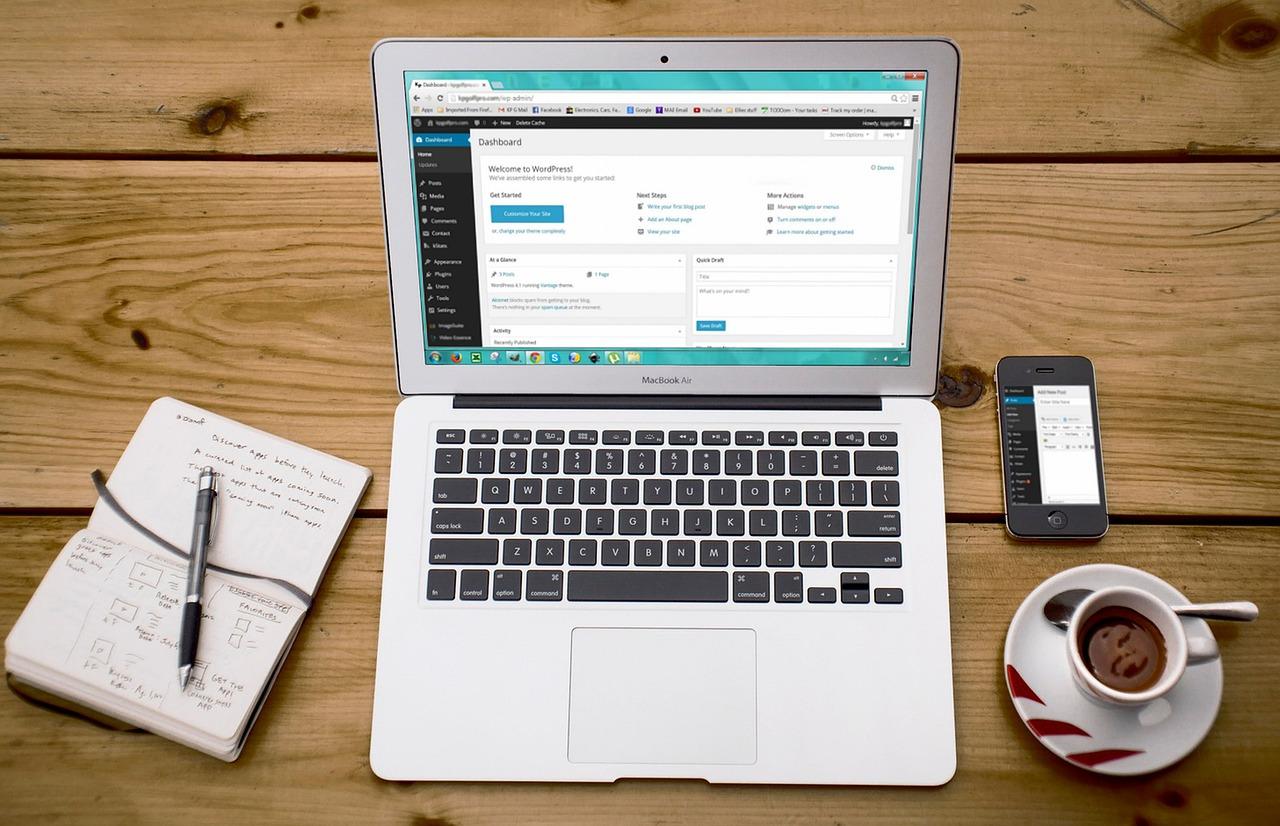
Previewing and Testing Your Website for Flawless Functionality
Once your website design is complete in Canva, the next essential step is to ensure that everything functions flawlessly. A visually appealing site is vital, but without proper functionality, you risk losing visitors and potential customers. Here are some effective strategies to help you preview and test your website before launching it.
- Utilize Preview Mode: Canva offers a preview mode that allows you to see how your site will appear to users. This feature helps identify any design inconsistencies or navigation issues that may not be apparent in the editor.
- Check for Responsiveness: Test your website across various devices—desktops, tablets, and smartphones. Ensure that your design adapts seamlessly to different screen sizes. Use browser tools to toggle between devices and confirm that all elements display correctly.
- Test Links and Buttons: Interactivity is crucial. Click through every link, button, and form to ensure they function as intended. Broken links can frustrate users and negatively impact your SEO.
- Load Time Assessment: A fast-loading site enhances user experience. Use tools such as Google PageSpeed Insights to analyze your website’s loading speed and receive suggestions for improvement.
Additionally, consider creating a checklist to guide your testing process. Here’s a simple table that outlines essential elements to verify:
| Testing Element | Action Required | Status |
|---|---|---|
| Links | Click and verify destination | ✔️ |
| Images | Check for broken links | ✔️ |
| Forms | Submit and verify responses | ✔️ |
| Mobile View | Test on various devices | ✔️ |
Lastly, gather feedback from friends, colleagues, or even potential users. Their fresh perspective can highlight areas you may have overlooked. Encouraging constructive criticism will help refine your site further, allowing for a launch that you can be proud of.

Publishing Your Canva Website and Celebrating Your Success
After pouring your creativity and effort into designing your website on Canva, it’s finally time to unveil your masterpiece to the world. Publishing your website is not just a technical step; it’s a celebration of your hard work and inspiration. Take a moment to appreciate the journey that brought you here, from sketching ideas to bringing them to life with stunning visuals and compelling content.
Once you’re ready to publish, Canva offers a straightforward process. Simply navigate to the “Share” button, and select the “Publish as Website” option. This allows you to choose between:
- Scrolling website: Ideal for storytelling, allowing visitors to scroll through your content seamlessly.
- Presentation format: Perfect for showcasing projects in a slide-like manner.
As you choose the format that best represents your vision, don’t forget to customize the URL. A catchy and relevant domain name can make a significant difference in how your audience perceives your brand. Use keywords that reflect your website’s purpose, making it easier for visitors to remember and revisit.
Before hitting that final “Publish” button, consider doing a quick review of your site. Check for:
- Content accuracy: Ensure all information is up-to-date and relevant.
- Visual consistency: Double-check that fonts, colors, and images align with your brand identity.
- Mobile responsiveness: Test your site on different devices to guarantee a seamless experience for all users.
Once published, it’s time to spread the word about your new website! Utilize your social media platforms to announce your launch. Create visually appealing posts that showcase snippets of your site, perhaps with a compelling call to action inviting your audience to explore more. Remember, your website is a reflection of your passion and creativity; share that excitement with the world!
don’t forget to celebrate your achievement. Building a website is no small feat; it requires dedication, creativity, and a willingness to learn. Whether you treat yourself to a special dinner, share your success with friends, or simply take a moment to bask in your accomplishment, acknowledging your hard work is essential. You’ve transformed your ideas into a digital reality, and that deserves to be celebrated!
Promoting Your New Website to Reach Your Target Audience
Once your website is designed in Canva, the next crucial step is to promote it effectively to ensure it reaches your target audience. Identifying and engaging with the right people is integral to your website’s success. Here are some proven strategies to elevate your website’s visibility:
- Leverage Social Media: Share your website across various social media platforms where your audience spends their time. Create visually appealing posts and stories using Canva designs to attract clicks.
- Engage in Content Marketing: Start a blog related to your website’s theme. Share valuable insights, tips, or tutorials that resonate with your audience, driving organic traffic to your site.
- Utilize SEO Strategies: Optimize your website content with relevant keywords to enhance your search engine ranking. This helps potential visitors find your site more easily.
- Network with Influencers: Collaborate with influencers in your niche. They can promote your website to their followers, expanding your reach exponentially.
Understanding your audience’s preferences can also guide your promotional efforts. Consider creating a simple survey or using analytics tools to gather insights about their interests. This data can help refine your marketing strategies, ensuring more targeted outreach.
Another effective approach is to email marketing. Build an email list through your website and send regular newsletters that include updates, promotions, and valuable content. Personalize your messages to create a stronger connection with your subscribers.
Lastly, consider investing in online advertising. Platforms like Google Ads or Facebook Ads allow you to target specific demographics, ensuring your website reaches those who are most likely to engage with your content.
| Promotion Strategy | Description |
|---|---|
| Social Media | Utilize platforms like Instagram, Twitter, and Facebook to share content and drive traffic. |
| SEO | Optimize your website for search engines to increase visibility and attract organic traffic. |
| Email Marketing | Engage your audience with tailored newsletters and updates about your website. |
| Online Advertising | Use targeted ads to reach specific audience segments effectively. |
By implementing these strategies, you’ll not only promote your newly designed website but also establish a loyal audience that values your content. The right mix of creativity, strategy, and engagement is key to flourishing in the digital landscape.
Continuously Updating Your Design to Stay Relevant
In the fast-paced world of web design, keeping your website fresh and engaging is crucial for attracting and retaining visitors. As trends evolve, so do user expectations, making it essential to regularly reassess and update your design elements. Utilizing Canva provides a powerful toolset to facilitate this ongoing transformation, allowing you to refresh your site effortlessly.
Implementing a consistent design audit is a strategic approach to stay ahead. Consider the following elements during your review:
- Color Schemes: Are your color palettes still in vogue? Experiment with trending hues or seasonal shades to rejuvenate your aesthetic.
- Typography: Fonts can significantly influence user experience. Revisit your type choices to see if more modern or legible options exist.
- Images and Graphics: Replace outdated visuals with high-quality, relevant graphics that resonate with your target audience.
- Layout and Structure: Adapt your layout for better navigation and usability, ensuring a seamless experience for all users.
Beyond aesthetics, consider the functional aspects of your website. Implementing new features or refining existing ones can engage users more deeply. For instance:
- Interactive Elements: Incorporate interactive features like hover effects or clickable infographics to enhance user engagement.
- Mobile Responsiveness: Regularly test your design across devices to ensure it remains functional and visually appealing on all screen sizes.
- SEO Updates: Stay informed on the latest SEO practices. Adjust your content and design accordingly to improve visibility and search rankings.
To track the effectiveness of your updates, utilize analytics tools to measure user behavior and engagement metrics. This data can guide your design decisions and highlight areas for improvement. Regularly revisiting your design strategy not only keeps your website current but also builds trust and loyalty with your audience.
| Design Element | Update Frequency | Purpose |
|---|---|---|
| Color Palette | Seasonally | Enhance visual appeal |
| Typography | Annually | Improve readability |
| Images | Quarterly | Maintain relevance |
| Layout | As needed | Optimize user experience |
Embrace the philosophy of continuous improvement. Each update, no matter how small, contributes to a vibrant and engaging user experience that can set you apart from the competition. With Canva, you hold the power to transform your website into a dynamic platform that evolves with your audience’s needs and preferences.
Harnessing Feedback for Future Improvements and Growth
As you embark on your journey to design an engaging website in Canva, it’s essential to embrace a culture of feedback. By actively seeking and implementing insights from your audience, you can transform your website into a dynamic platform that resonates with users and meets their needs.
Consider the following methods to harness feedback effectively:
- User Surveys: Create simple surveys to gather opinions on your design, layout, and functionality. Tools like Google Forms or Typeform can be integrated easily.
- Social Media Polls: Utilize your social media channels to ask followers for their thoughts on specific design elements or features.
- Usability Testing: Invite a select group of users to navigate your site, observing their interactions while asking for their candid thoughts afterward.
- Feedback Forms: Incorporate a feedback form directly on your website, allowing visitors to share their experiences and suggestions.
Once you collect feedback, the real work begins. Organizing and analyzing this information is crucial to identify common themes and actionable insights. Consider using a simple table to categorize feedback:
| Feedback Type | Common Suggestions | Action Plan |
|---|---|---|
| Design | More vibrant colors, streamlined layout | Revamp color palette, simplify navigation |
| Content | More tutorials, clearer descriptions | Add video guides, enhance text readability |
| Functionality | Faster loading times, better mobile optimization | Optimize images, implement responsive design |
Acting on feedback not only improves your website but also builds trust and loyalty among your users. When they see their suggestions implemented, it fosters a sense of ownership and community. This connection is invaluable, as it encourages repeat visits and referrals.
Moreover, don’t forget to keep the communication lines open. Inform your audience about the changes made based on their feedback. Use newsletters, blog posts, or social media announcements to celebrate these updates. This transparency not only highlights your commitment to improvement but also inspires users to continue sharing their thoughts.
In the fast-paced digital world, the ability to adapt and evolve is crucial. By embracing feedback and using it as a guiding star for your website design journey, you’ll not only create a visually appealing site but also a highly functional one that genuinely serves your audience’s needs.
Frequently Asked Questions (FAQ)
Q&A for “How To Design a Website in Canva? (Ultimate Guide)”
Q1: What makes Canva a great tool for website design?
A1: Canva is an incredibly intuitive platform that democratizes design. Whether you’re a novice or a seasoned designer, Canva provides a user-friendly experience that empowers you to create stunning websites without needing extensive coding skills. With its drag-and-drop interface, rich library of templates, and vast array of design elements, Canva gives you all the tools you need to bring your vision to life. Imagine transforming your ideas into reality, all while enjoying the process!
Q2: Do I need any design experience to create a website in Canva?
A2: Absolutely not! One of the most inspiring aspects of Canva is that it caters to all skill levels. The platform is designed to be approachable, making it easy for anyone to create beautiful designs—even if you’ve never picked up a design tool before. With its extensive resources, including tutorials and prompts, you’ll find that creating a website is not only achievable but also enjoyable. So why wait? Dive in and let your creativity flourish!
Q3: What are the first steps to start designing my website in Canva?
A3: Starting your journey in Canva is as simple as signing up for an account. Once you’re in, select the “Website” option to explore a treasure trove of templates tailored for web design. From there, browse through various styles that resonate with your brand or personal aesthetic. The key is to choose a template that sparks joy and aligns with your vision. Remember, every great design starts with a spark of inspiration!
Q4: How can I ensure my website is visually appealing and user-friendly?
A4: A visually stunning website is more than just aesthetics; it’s about creating a seamless user experience. Utilize Canva’s grid and alignment tools to maintain consistency and balance across your design. Choose a cohesive color palette and typography that reflects your brand identity, and ensure that navigation is intuitive. Don’t forget to incorporate high-quality images and engaging content. With attention to these details, your website will not only look great but also function beautifully!
Q5: Can I incorporate branding elements into my website design?
A5: Yes, integrating your branding elements is essential for creating an impactful website! Canva allows you to upload your logos, choose brand colors, and set preferred fonts, ensuring your website reflects your unique identity. By maintaining consistent branding, you build trust and recognition among your visitors. This is your chance to tell your story—make it memorable!
Q6: What if I want to add interactive elements to my Canva website?
A6: While Canva is primarily a design tool, it offers some amazing features for interactivity! You can add links, buttons, and even embed social media content. For more advanced functionalities, consider integrating your Canva design with website builders like WordPress or Wix. This way, you can enhance the interactivity of your website while still using Canva’s design power to create visually stunning pages. The possibilities are vast—dream big!
Q7: How do I publish my website once I’m done designing it in Canva?
A7: Once you’re satisfied with your design, publishing your website is a breeze! Canva allows you to export your project in various formats. If you’re using a platform like WordPress or Wix, you can easily upload your design. Alternatively, Canva offers its own website publishing feature, allowing you to get your site live with just a few clicks. Your ideas deserve to be seen—share them with the world!
Q8: Can I update my website after it’s published?
A8: Definitely! One of the best aspects of using Canva for website design is the ease of making updates. Whether you want to refresh your content, update images, or change your design, you can easily edit your Canva project and republish it. Keeping your website current and engaging is crucial; after all, your creativity knows no bounds, and your website should reflect that dynamic evolution!
Q9: Any final tips for someone starting their website design journey in Canva?
A9: Embrace the process! Allow yourself the freedom to experiment and explore. Don’t be afraid to iterate on your design until it feels just right. Engage with the Canva community for inspiration and support, and remember that every great designer started somewhere. Your website is a canvas for your ideas—make it as unique as you are! So go ahead, unleash your creativity, and let your dream website come to life!
—
By following this Q&A, you’ll be inspired to embark on your website design journey with Canva, transforming your ideas into a vibrant online presence. Happy designing!
Wrapping Up
designing a website in Canva is not just a task—it’s an opportunity to unleash your creativity and bring your unique vision to life. With its user-friendly interface and powerful design tools, Canva empowers you to create a stunning website that reflects your personal brand or business identity.
By following the steps outlined in this ultimate guide, you’ve gained the knowledge and skills needed to transform your ideas into a visually captivating online presence. Remember, every great website starts with a spark of inspiration. So, don’t hesitate to experiment, explore, and express yourself through your design choices.
As you embark on this exciting journey, keep in mind that your website is your digital storefront—a place where visitors can connect with you and experience what you have to offer. Let your creativity soar, and watch as your website evolves into a powerful tool for engagement, communication, and growth.
Now is the time to take action. Dive into Canva, start designing, and let your creativity shine! The world is waiting to see what you can create. Your website is just a click away—so go ahead, make it extraordinary!

New Providers

Enjoy The Speed Of Downloading & Uploading With 1GBPS Port



Affordable Dedicated Servers & Colocation Services. Services: Dedicated Servers Colocation Private Cabinet Colocation DDoS Protection

Up to 85% off hosting + website builder

We specialize in providing Web hosting reviews. Where you can search for potential hosts.