
Ready to boost your sales? Building a high-converting sales page in WordPress is easier than you think! Focus on eye-catching headlines, persuasive copy, and clear calls to action. Let’s transform your visitors into loyal customers—starting today!
How to Build a High-Converting Sales Page in WordPress
Are you ready to transform your WordPress site into a sales powerhouse? If you’ve ever felt the frustration of a lackluster sales page that just doesn’t convert, you’re not alone. Crafting a high-converting sales page is both an art and a science, and it’s easier than you might think! In this article, we’re going to walk you through the essential steps to create a sales page that not only grabs attention but also compels visitors to take action. Whether you’re selling products, services, or digital content, the right strategies can turn casual browsers into loyal customers. So, grab your favorite beverage, settle in, and let’s dive into the secrets of building a sales page that will have your audience clicking that “Buy Now” button in no time!
Understanding the Psychology of Your Audience
To create a sales page that converts, it’s crucial to tap into the minds of your potential customers. Understanding what drives their decisions can significantly enhance your page’s effectiveness. Start by identifying your target audience. Who are they? What do they want? What problems can your product solve for them? Here are some key aspects to consider:
- Demographics: Age, gender, income level, education, and location can influence buying behavior.
- Psychographics: Interests, values, attitudes, and lifestyle choices shape how they perceive your offer.
- Pain Points: Understand the specific challenges or frustrations your audience faces that your product can address.
Once you have a clear picture of your audience, be sure to incorporate their language into your sales copy. Use terms and phrases that resonate with them, and reflect their needs and desires. This not only helps in building rapport but also positions you as a trusted authority in your niche. When writing your copy, consider using empathy-driven storytelling that demonstrates how your product can transform their lives for the better.
Another effective strategy is to include social proof, such as testimonials or case studies, which can bolster your credibility. People are more likely to trust the experiences of their peers than a brand’s self-promotional statements. A well-placed testimonial can serve as a powerful motivator, easing any apprehensions about making a purchase.
Additionally, consider utilizing a limited-time offer or a sense of urgency in your marketing message. Phrases like “only a few left” or “offer ends soon” can prompt immediate action. This taps into the psychology of scarcity, making your audience feel that they might miss out on something valuable if they don’t act quickly.
Here’s a simple table to illustrate how different elements affect consumer behavior:
| Element | Consumer Response |
|---|---|
| Clear Value Proposition | Increased interest and engagement |
| Visual Appeal | Enhanced emotional connection |
| Strong Call to Action | Higher conversion rates |
| Trust Signals | Reduced purchase anxiety |
By strategically applying these insights, you can create a compelling sales page that speaks directly to your audience’s needs and desires. Remember, a sales page is not just about selling; it’s about connecting with your audience on a deeper level. When they feel understood and valued, they’re more likely to take that crucial step toward conversion.

Crafting a Compelling Headline That Grabs Attention
When it comes to crafting a headline, your goal is to create something that compels readers to click through and learn more. A powerful headline should not only draw attention but also convey the essence of what your sales page offers. Start by identifying the key benefits or unique selling points of your product or service. This is where you can really shine!
Consider using action words that evoke emotion or urgency. Words like “discover,” “unleash,” and “transform” can create a sense of excitement. For example, instead of saying “Our Plugin Increases Sales,” try “Unleash the Power of Our Plugin to Skyrocket Your Sales!” This small tweak can make a world of difference in attracting potential customers.
Another effective strategy is to ask a question. Questions naturally provoke curiosity, making it hard for readers to resist wanting to read more. For instance, “Are You Ready to Double Your Sales?” not only grabs attention but also hints at a solution that your sales page will elaborate on.
Incorporating numbers can also enhance your headlines. Lists and statistics tend to catch the eye and promise valuable insights. A headline like “5 Proven Strategies to Boost Your Conversion Rates” not only suggests actionable content but gives a clear indication of what the reader can expect.
Lastly, consider the importance of length and clarity. Aim for a headline that is concise yet informative. Ideally, keep it between 6 to 12 words. Clarity is key; avoid jargon or overly complex phrases that may confuse the reader. If you’re unsure, test different headlines to see which resonates best with your audience.
For a quick reference, here’s a table summarizing effective headline strategies:
| Strategy | Description | Example |
|---|---|---|
| Action Verbs | Use strong verbs to create excitement. | “Transform Your Business Today!” |
| Questions | Engage readers by asking a question. | “Ready to Maximize Your Profits?” |
| Numbers | Use specific figures for clarity. | “7 Steps to Increase Your Sales Instantly” |
By employing these techniques, you’ll not only craft a compelling headline but also set the stage for a high-converting sales page that captures the interest of your audience. Remember, the first impression counts, so make it memorable!
Designing an Eye-Catching Layout That Guides the Eye
Creating a layout that captures attention while smoothly guiding the viewer’s eye is essential for any high-converting sales page. The key is to balance visual appeal with functionality, ensuring that every element serves a purpose. Start by establishing a clear hierarchy in your design. Use larger fonts for headlines and bold colors for calls to action. This will not only draw attention but also ensure that your visitors know where to focus their efforts.
Consider employing a grid-based layout. This approach helps maintain order and organizes information logically. A well-structured grid will:
- Enhance readability
- Facilitate scanning
- Guide the viewer’s eye toward important sections
Using a consistent alignment can also improve the overall flow of your page, making it feel cohesive and professional.
When it comes to color, choose a palette that is both striking and harmonious. Contrast is your friend here; use contrasting colors for your text and background to ensure readability. A well-chosen color scheme can evoke emotions and influence purchasing decisions. For example, warm colors like red and orange can create a sense of urgency, while cool colors like blue can impart trust and calmness.
Whitespace, often overlooked, is another critical component of a successful layout. It provides breathing room for your content and helps prevent the page from feeling cluttered. Adequate whitespace can:
- Draw attention to key messages
- Improve user experience
- Encourage interaction with CTAs
Make sure to leave enough spacing around buttons, images, and text to allow each element to stand out.
| Element | Purpose |
|---|---|
| Headings | Attract attention and establish hierarchy |
| Images | Break up text and enhance storytelling |
| CTAs | Guide users towards desired actions |
| Whitespace | Improve clarity and focus on content |
remember that responsive design is crucial. Ensure your layout adapts beautifully across devices, such as desktops, tablets, and smartphones. Use flexible grids and scalable images to maintain a seamless experience. A sales page that looks great on all devices increases trust and engagement, which can lead to higher conversion rates.
Writing Persuasive Copy That Speaks to Your Readers
To create a sales page that truly captivates your audience, you need to master the art of persuasive copywriting. This goes beyond just listing features; it’s about connecting with your readers on an emotional level. When you craft your message, think about what resonates with your target audience. What are their dreams, fears, and aspirations? Address these elements directly in your copy.
Start by painting a vivid picture of the problem your product solves. Use relatable scenarios that your readers might find themselves in. For example:
- Identify Pain Points: Acknowledge their frustrations and struggles.
- Offer Solutions: Show how your product can make their lives easier.
- Create Urgency: Highlight why they need to act now, not later.
Once you’ve established a connection, it’s time to build trust. Incorporate testimonials and reviews from satisfied customers. Social proof is incredibly powerful; it reassures potential buyers that they are making the right choice. Consider including a table to summarize key testimonials:
| Customer Name | Testimonial |
|---|---|
| Jane Doe | “This product changed my life! I can’t recommend it enough.” |
| John Smith | “Incredible results! Worth every penny.” |
Next, focus on your product’s unique selling propositions (USPs). What sets it apart from the competition? Make sure to highlight these features clearly and compellingly. Use strong action verbs and descriptive language to evoke excitement. Your goal is to make the reader feel as though they can’t afford to miss out on what you’re offering.
wrap up your sales page with a powerful call-to-action (CTA). This is where you guide your readers towards the next step. Make your CTA clear and compelling, using phrases like:
- “Get Started Today!”
- “Join Our Community Now!”
- “Claim Your Discount Before It’s Gone!”
By weaving together these elements, you create persuasive copy that not only speaks to your readers but also encourages them to take action. Remember, the key is to keep their needs at the forefront while presenting your product as the ultimate solution.
Incorporating Trust Signals to Build Credibility
Building credibility on your sales page is essential for converting visitors into customers. One of the most effective ways to accomplish this is by incorporating trust signals. These signals reassure potential buyers that your product or service is reliable and worth their investment. Here are some key elements to consider:
- Customer Testimonials: Displaying positive feedback from satisfied customers can significantly enhance your page’s trustworthiness. Use real names and photos (with permission) to add authenticity.
- Case Studies: Highlighting detailed case studies that demonstrate the success of your product showcases its effectiveness in a real-world context.
- Industry Certifications: If your business has any relevant certifications or awards, prominently display these logos. This not only validates your expertise but also aligns your brand with industry standards.
- Money-Back Guarantee: Offering a guarantee can alleviate fears about purchasing. Clearly state your return policy to show that you stand behind your product.
To visually enhance the credibility of your sales page, consider using a trust badge. These badges can include security certifications, payment processor logos, or affiliations with reputable organizations. When potential buyers see these symbols, it creates a sense of security that can significantly influence their purchasing decisions.
Another effective strategy is to create a FAQ section addressing common concerns or objections. By providing clear answers, you not only demonstrate your expertise but also show that you are attentive to your customers’ needs. Here’s a simple table layout you might consider:
| Common Question | Our Answer |
|---|---|
| How soon will I see results? | Most customers notice improvements within the first week. |
| Is there a trial period? | Yes! We offer a 30-day free trial for you to test our service. |
| What if I change my mind? | We provide a full money-back guarantee within 60 days. |
Lastly, updating your sales page with social proof can be powerful. Consider integrating live counters that display the number of current users, recent purchases, or social media shares. This real-time data creates urgency and illustrates that others trust and are actively engaging with your product.
Incorporating these elements into your sales page can significantly enhance its credibility, making visitors more likely to convert. Remember, the key is to present these trust signals in a way that feels natural and integrated into the overall design of your page.
Utilizing Clear and Engaging Calls to Action
When designing your sales page, the importance of a clear and engaging call to action (CTA) cannot be overstated. A CTA serves as a guiding beacon for your visitors, directing them toward the next steps you want them to take. Whether it’s signing up for a newsletter, purchasing a product, or requesting more information, your CTA must captivate and compel.
To make your CTAs stand out, consider the following strategies:
- Use Action-Oriented Language: Phrases like “Get Started Now” or “Claim Your Free Trial” are not just eye-catching; they also create a sense of urgency and excitement.
- Design Matters: Your CTA buttons should be easily distinguishable from the rest of the content. Use contrasting colors and sufficient whitespace to draw attention.
- Positioning is Key: Place your CTAs where they naturally fit within the flow of your content. Typically, placing a CTA at the beginning, middle, and end can effectively guide users through the page.
Another effective tactic is to incorporate social proof near your CTAs. This can include testimonials, user reviews, or trust badges that reinforce the value of your offering. When potential customers see that others have benefited from your product or service, they are more likely to take the plunge themselves.
Consider running A/B tests on your CTAs to determine which versions resonate best with your audience. Test different phrases, colors, placements, and sizes to see what drives the highest conversion rates. Learning from real user behavior is invaluable.
| CTA Element | Best Practices |
|---|---|
| Text | Concise, action-oriented phrases |
| Color | Use contrasting colors to grab attention |
| Placement | Above the fold, within content, and at the end |
| Size | Large enough to be noticeable but not overwhelming |
create a sense of urgency to encourage immediate action. Phrases like “Limited Time Offer” or “Only a Few Spots Left” can prompt visitors to act quickly rather than procrastinate. Remember, your goal is not only to inform but to motivate. The combination of strategic wording, design, social proof, and urgency can significantly elevate your conversion rates.
Optimizing for Mobile Users to Maximize Reach
To truly maximize your reach, it’s essential to prioritize mobile optimization in your sales page design. With a significant portion of web traffic now coming from mobile devices, ensuring that your page performs well on smartphones and tablets can lead to increased conversions and customer engagement.
When designing for mobile, consider these key aspects:
- Responsive Design: Your sales page should automatically adjust to fit any screen size, providing a seamless experience for all users.
- Fast Loading Times: Mobile users are often on the go, so make sure your page loads quickly. Compress images and minimize code to enhance speed.
- Touch-Friendly Elements: Buttons and links need to be easy to tap. Ensure that they are adequately sized and spaced to avoid frustrating misclicks.
- Simple Navigation: A clean, intuitive menu will help users find what they need without getting overwhelmed. Consider using a hamburger menu to save space.
Another effective strategy is to utilize mobile-first design principles. Start by creating the mobile version of your sales page, then scale up for desktop. This approach allows you to focus on essential content and features that drive conversions. Prioritize your headlines, calls to action, and key selling points right up front, ensuring that mobile users can easily grasp your message.
It’s also worth considering the use of large, eye-catching visuals. High-quality images and videos can greatly enhance the appeal of your sales page. However, remember to optimize these assets for mobile. Use formats like JPEG for images and MP4 for videos, and keep file sizes manageable to maintain fast loading times.
don’t forget to test your sales page across various devices and browsers. Use tools like Google’s Mobile-Friendly Test to identify any issues that could hinder the user experience. Regularly updating and refining your mobile strategy is crucial to staying ahead of the competition and meeting the evolving expectations of your audience.
| Mobile Optimization Tips | Benefits |
|---|---|
| Responsive Design | Enhances user experience |
| Fast Loading Times | Reduces bounce rates |
| Touch-Friendly Elements | Improves interaction rates |
| Simple Navigation | Increases accessibility |
Implementing A/B Testing to Fine-Tune Your Approach
To create a sales page that truly resonates and converts, implementing A/B testing is essential. This powerful technique allows you to compare two or more variations of your page to determine which one performs better. By making data-driven decisions, you can fine-tune your approach and maximize your sales potential.
Start by identifying the key elements of your sales page that you want to test. These could include:
- Headlines: Test different headlines to see which grabs your audience’s attention the most.
- Call-to-Action (CTA): Experiment with various CTA texts, colors, and placements to find the most compelling option.
- Images: Use different visuals to see which ones resonate better with your audience.
- Copy Length: Test short vs. long-form content to determine what keeps readers engaged.
Once you’ve selected the elements to test, create at least two versions of your sales page. Use a plugin like Nelio A/B Testing or Split Hero to easily manage your tests within WordPress. These tools allow you to set up experiments without needing extensive coding knowledge, making it accessible for anyone to optimize their page.
During your testing phase, it’s crucial to track relevant metrics to gauge success accurately. Focus on key performance indicators (KPIs) such as:
| Metric | Description |
|---|---|
| Conversion Rate | Percentage of visitors who complete the desired action (e.g., purchase, sign-up). |
| Bounce Rate | Percentage of visitors who leave the page without taking action. |
| Time on Page | Average time spent on the sales page by visitors. |
After collecting sufficient data, analyze the results. Look for significant differences in performance between the variations. If one version significantly outperforms another, consider adopting that version as your new standard. Don’t forget that A/B testing is an ongoing process; continuously refine and test new ideas to keep your page fresh and effective.
Incorporating A/B testing into your sales page strategy not only enhances your understanding of your audience but also empowers you to make confident, informed changes that drive higher conversions. Embrace this approach, and watch your sales page transform into a powerful tool for your business.

Enhancing Load Speed for a Seamless User Experience
In today’s fast-paced digital landscape, load speed has become a critical factor that can make or break your sales page. Users expect instant access to information, and if your page takes too long to load, potential customers won’t hesitate to click away. Here are some effective strategies to boost your page’s speed, ensuring a smooth user experience that drives conversions.
- Optimize Images: Large images can significantly slow down your page. Use tools like ImageOptim or TinyPNG to compress images without sacrificing quality. Consider using modern formats like WebP for even better optimization.
- Leverage Caching: Utilizing caching plugins such as WP Super Cache or W3 Total Cache can dramatically reduce load times by storing static copies of your pages and serving them to users, reducing server load.
- Minify CSS and JavaScript: Reducing the size of your CSS and JS files by removing unnecessary characters, spaces, and comments can help speed up page rendering. Plugins like Autoptimize can assist you in this process.
- Choose a Quality Hosting Provider: The performance of your hosting provider can greatly impact load speed. Consider options such as SiteGround or Bluehost, which offer optimized WordPress hosting solutions.
- Enable GZIP Compression: This technique compresses your files before sending them over the web, which can significantly reduce data transfer size and loading time.
Additionally, consider implementing a content delivery network (CDN), which stores cached versions of your site across various locations around the globe. This way, users can access your site from the nearest server, reducing latency and improving load speed. Services like Cloudflare or MaxCDN are great options to explore.
Another effective method is to keep your WordPress installation and plugins up to date. Updates often include performance improvements and security patches that can enhance the overall functionality and speed of your site. Make it a practice to check for updates regularly to keep your site running smoothly.
here’s a quick reference table to help you assess your current load speed and identify areas for improvement:
| Speed Optimization Technique | Impact Level | Recommended Tools |
|---|---|---|
| Image Optimization | High | ImageOptim, TinyPNG |
| Caching | High | WP Super Cache, W3 Total Cache |
| CSS/JS Minification | Medium | Autoptimize |
| Quality Hosting | High | SiteGround, Bluehost |
| CDN Usage | High | Cloudflare, MaxCDN |
By implementing these strategies, you’ll not only enhance your sales page’s load speed but also create a more engaging environment for your visitors, ultimately leading to higher conversion rates.

Analyzing Performance Metrics to Continuously Improve
To ensure your sales page is performing at its best, it’s essential to regularly analyze key performance metrics. By doing so, you can make informed adjustments that will increase conversions and enhance user experience. Here are some crucial metrics to focus on:
- Conversion Rate: This is the percentage of visitors who complete the desired action, such as making a purchase or signing up for a newsletter. A low conversion rate might indicate a need for better copy or a more compelling call to action.
- Bounce Rate: A high bounce rate suggests that visitors are leaving your page without engaging. Analyzing why this happens can lead to improvements in content or layout.
- Average Time on Page: This metric helps you understand how long visitors are engaging with your content. If it’s low, consider enhancing the value and relevance of the information presented.
- Click-Through Rate (CTR): This indicates the effectiveness of your calls to action. If your CTR is low, it might be time to rethink your messaging or design.
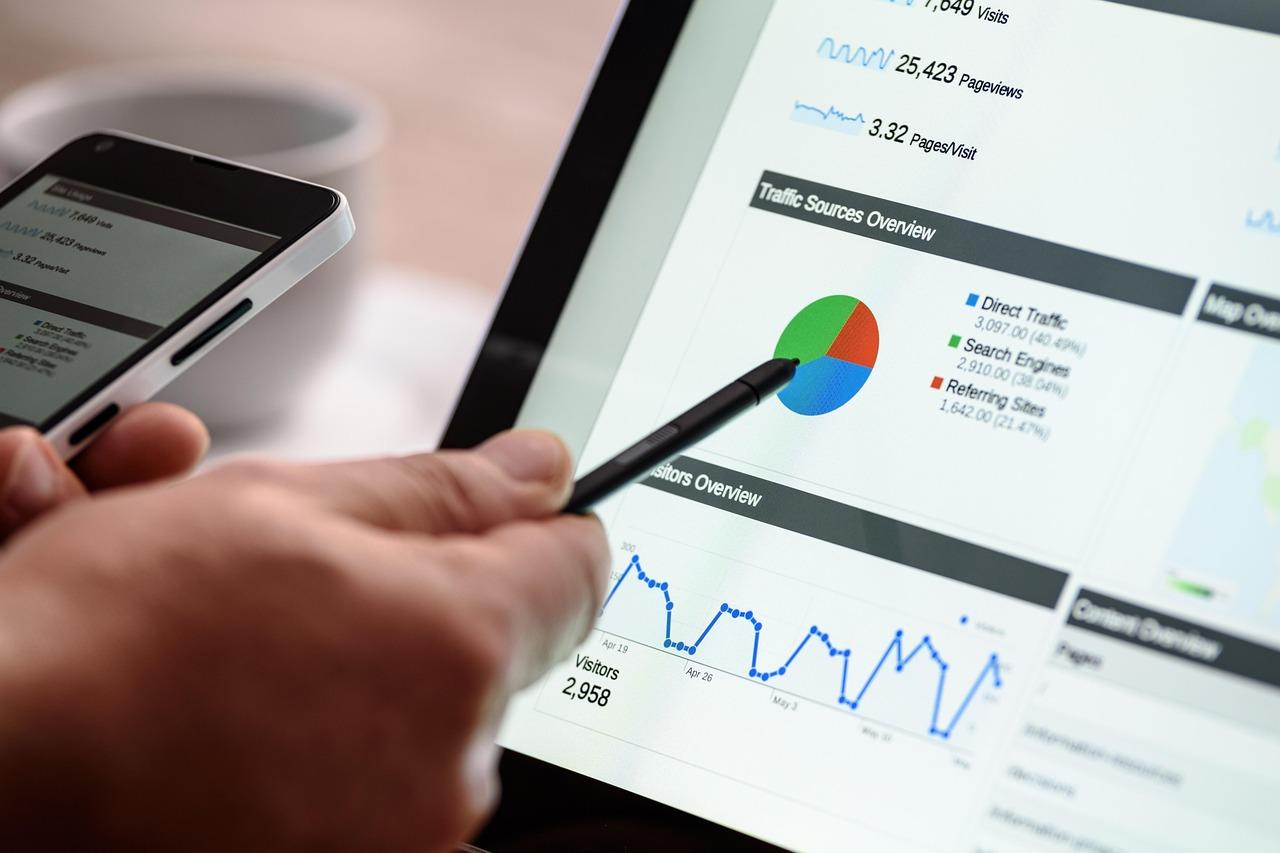
Once you’ve identified these metrics, you can leverage tools like Google Analytics or heat maps to gain deeper insights. For example, heat maps can reveal where users are clicking most often, allowing you to optimize your layout for better engagement. To illustrate, here’s a simple table showcasing potential changes based on performance metrics:
| Metric | Current Status | Suggested Action |
|---|---|---|
| Conversion Rate | 2.5% | Test different CTAs |
| Bounce Rate | 75% | Revise content for clarity |
| Average Time on Page | 30 seconds | Add engaging videos |
| Click-Through Rate | 1.8% | Experiment with button colors |
Don’t forget to establish a regular review schedule for these metrics. By monitoring them consistently, you’ll gain an understanding of trends and patterns that can influence your strategies. Use A/B testing to trial changes based on your findings; this way, you can validate what works best for your audience.
Ultimately, continuous improvement is a journey. By staying attentive to your performance metrics and adapting accordingly, you’ll foster a high-converting sales page that not only meets the needs of your visitors but exceeds their expectations.
Frequently Asked Questions (FAQ)
Q&A: How to Build a High-Converting Sales Page in WordPress
Q: Why is a sales page so important for my business?
A: Great question! Your sales page is often the first impression potential customers have of your product or service. It’s your chance to convince them to take action—whether that’s making a purchase, signing up for your newsletter, or downloading a freebie. A well-crafted sales page can significantly increase your conversion rates and drive more revenue.
Q: What are the key elements of a high-converting sales page?
A: There are several essential components you’ll want to include:
- Compelling Headline: This grabs attention and clearly states the benefit of your offer.
- Engaging Subheadline: A supportive subheadline that adds more context and entices visitors to read on.
- Persuasive Copy: Highlight the benefits of your product, not just its features. Use storytelling to connect emotionally with your audience.
- Strong Call-to-Action (CTA): Make sure your CTA stands out and clearly tells visitors what to do next.
- Social Proof: Testimonials, reviews, or case studies build trust and credibility.
- Visuals: High-quality images or videos can enhance your message and make your page more engaging.
- Easy Navigation: Ensure your page is user-friendly and free of distractions.
Q: How do I choose the right WordPress theme for my sales page?
A: Choosing the right theme is crucial! Look for themes that are designed for conversions—those that are clean, mobile-responsive, and allow for easy customization. Popular options include Astra, Divi, and Elementor. Make sure the theme supports plugins that can help enhance your sales page, such as for creating pop-ups or countdown timers.
Q: What role do plugins play in optimizing my sales page?
A: Plugins can supercharge your sales page! They can help you with everything from SEO optimization, A/B testing, and analytics, to adding features like countdown timers and social sharing buttons. Tools like Yoast SEO, Thrive Optimize, and WooCommerce can help you create a well-rounded sales experience that converts visitors into customers.
Q: How can I test and improve my sales page?
A: Testing is key! Use A/B testing tools to experiment with different headlines, CTAs, images, and layouts. Monitor metrics like bounce rate, time on page, and conversion rate to see what’s working. Don’t be afraid to make changes based on your findings—optimization is an ongoing process!
Q: Is it necessary to have a long sales page, or are short ones effective too?
A: It really depends on your product and audience. Long sales pages can be effective for complex products that require more explanation, while shorter pages might work better for simpler offers. The key is to provide enough information to persuade your audience without overwhelming them. A/B testing can help determine which format resonates better with your visitors.
Q: Any final tips for creating a standout sales page?
A: Absolutely! Always keep your target audience in mind and tailor your message to address their pain points. Use clear, concise language, and don’t forget to infuse your personality into the copy. Consider offering a limited-time discount or bonus to create urgency, and make sure your sales page is mobile-friendly. Lastly, regularly update your content to keep it fresh and relevant!
Building a high-converting sales page in WordPress doesn’t have to be overwhelming. With the right approach and tools, you can create a page that not only looks great but drives results. Ready to get started on your journey to better conversions?
To Conclude
And there you have it! Building a high-converting sales page in WordPress doesn’t have to be a daunting task. With the right strategies, engaging content, and a sprinkle of creativity, you can create a page that not only captures attention but also drives action. Remember, it’s all about understanding your audience, addressing their needs, and guiding them seamlessly toward that all-important “Buy Now” button.
So, why wait? Take the insights you’ve gained here and start crafting your own sales page masterpiece today. Test different elements, analyze the results, and keep refining until you find that perfect formula. The beauty of WordPress is that it allows for constant updates and improvements, so you can adapt as your audience’s preferences evolve.
If you have any questions or need further guidance, don’t hesitate to reach out or dive into the community forums. Your success is just a page away, and with your newfound knowledge, you’re well on your way to turning visitors into loyal customers. Happy building!

New Providers

Enjoy The Speed Of Downloading & Uploading With 1GBPS Port



Affordable Dedicated Servers & Colocation Services. Services: Dedicated Servers Colocation Private Cabinet Colocation DDoS Protection

Up to 85% off hosting + website builder

We specialize in providing Web hosting reviews. Where you can search for potential hosts.