
Thinking about a WordPress security plugin? It’s a smart move! With a plugin, you gain real-time threat detection and automated backups. Without one, you’re vulnerable to hacks and data loss. Protect your site—don’t leave your digital safety to chance!
“Do I Need a WordPress Security Plugin?” – 4 Things You Can Do With vs Without Security Plugins
Title: Do I Need a WordPress Security Plugin? 4 Things You Can Do With vs. Without Security Plugins
When it comes to building your online presence with WordPress, security often takes a backseat to design and functionality. But let’s face it: in today’s digital landscape, overlooking your site’s security can be like leaving your front door wide open. So, the big question is: do you really need a WordPress security plugin?
In this article, we’re diving into the nitty-gritty of security plugins—the unsung heroes of website safety! We’ll explore four key areas where having a security plugin can elevate your site’s protection and performance, and compare them to the risks and limitations of going without one. Whether you’re a seasoned site owner or just getting started, understanding the role of these plugins can make all the difference in safeguarding your digital assets. Let’s get started on your journey to a more secure WordPress site!
Understanding the Importance of WordPress Security Plugins
WordPress security plugins play a vital role in safeguarding your website from a myriad of threats. With the ever-evolving landscape of cyberattacks, relying solely on basic security measures is no longer sufficient. A comprehensive security plugin not only enhances your site’s defenses but also offers peace of mind that allows you to focus on creating and sharing content.
One of the primary benefits of using a security plugin is the proactive protection it provides. These plugins can monitor your site in real time, identifying vulnerabilities before they can be exploited. For instance, many plugins offer features like:
- Firewall protection to block malicious traffic.
- Malware scanning to detect and remove harmful code.
- Brute force attack prevention to safeguard your login pages.
Without a security plugin, your site could be vulnerable to attacks that might compromise user data and damage your reputation. In fact, studies show that websites lacking adequate security measures are significantly more likely to fall victim to hacks and breaches.
Another essential feature of many security plugins is backup solutions. Regular backups are crucial for any website, as they allow you to restore your site quickly in case of an incident. Plugins can automate this process, providing scheduled backups that can be stored securely offsite. Consider the following benefits:
- Automated backup schedules to ensure you never miss a backup.
- Easy restoration with just a few clicks.
- Storage options that let you choose where to keep your backups (cloud, FTP, etc.).
Furthermore, many security plugins offer user management features. This means you can control who has access to your site and what they can do. By setting user roles and permissions effectively, you can minimize the risk of internal threats. Features might include:
- Two-factor authentication for added login security.
- Customizable user roles to limit access to sensitive areas.
- Login attempt logging to keep track of suspicious activities.
The importance of keeping your WordPress site updated cannot be overstated. Security plugins often provide instant notifications when updates are available for your themes and plugins. This means you can keep everything up to date without having to constantly monitor your dashboard.
| Feature | With Security Plugin | Without Security Plugin |
|---|---|---|
| Real-time Monitoring | ✔️ | ❌ |
| Automated Backups | ✔️ | ❌ |
| User Role Management | ✔️ | ❌ |
| Firewall Protection | ✔️ | ❌ |
the integration of a security plugin into your WordPress site is not just a recommendation; it’s a necessity for anyone serious about protecting their online presence. With the multitude of threats lurking in the digital world, having a robust security solution is your first line of defense. The question is not whether you need a security plugin, but rather how soon can you implement one to secure your site effectively?
Key Features of Security Plugins That Enhance Your Sites Safety
When it comes to fortifying your WordPress site, security plugins offer an array of features that can significantly bolster your defenses. Here are some standout elements that these plugins provide to enhance your site’s safety:
- Real-Time Threat Detection: Security plugins continuously monitor your site for suspicious activities, alerting you to potential threats before they escalate.
- Firewall Protection: A robust firewall acts as a barrier between your site and malicious traffic, filtering out harmful requests and preventing unauthorized access.
- Brute Force Attack Prevention: These plugins can limit login attempts and implement captcha challenges, making it tougher for attackers to gain entry through password guessing.
- Malware Scanning: Regular scans check for vulnerabilities and malware, ensuring any threats are identified and eradicated promptly.
- Backup Solutions: Many security plugins offer automated backup options, allowing you to restore your site quickly in the event of a breach or data loss.
- Two-Factor Authentication: Enhancing login security through two-factor authentication can add an extra layer of protection that is difficult for hackers to bypass.
- Security Audits: Detailed reports on your site’s security status help you understand vulnerabilities and make informed decisions on necessary improvements.
A comparison of features between using a security plugin and not using one can be quite enlightening:
| Feature | With Security Plugin | Without Security Plugin |
|---|---|---|
| Real-Time Monitoring | ✔️ | ❌ |
| Automated Backups | ✔️ | ❌ |
| Malware Scanning | ✔️ | ❌ |
| Firewall Protection | ✔️ | ❌ |
| Login Security Features | ✔️ | ❌ |
In addition to these core features, many security plugins come with premium options that offer even more advanced functionalities, like vulnerability patching and priority customer support. Investing in a security plugin is not just about protection; it’s about peace of mind. Knowing that your site is monitored and protected allows you to focus on creating content and growing your audience.
Ultimately, the question isn’t just whether you need a security plugin; it’s about how much you value your site and its data. The benefits provided by these plugins far outweigh the costs, making them an essential investment for anyone serious about web presence and security.
What You Can Achieve With a Security Plugin
When it comes to protecting your WordPress site, a security plugin can be the game-changer you didn’t know you needed. With the right tools at your disposal, you can unlock a world of enhanced security features that not only safeguard your site but also provide peace of mind. Here are some remarkable achievements you can expect with a security plugin:
- Real-Time Threat Monitoring: Security plugins continuously scan your site for potential vulnerabilities and threats. This proactive approach means you’re less likely to fall victim to malicious attacks.
- Automated Backups: Many security plugins come equipped with backup features that automatically save your site data. In the event of a security breach, you can restore your site to its previous state effortlessly.
- Firewall Protection: A robust firewall protects your website from unauthorized access by blocking malicious traffic before it can reach your site. This adds an essential layer of defense against various types of attacks.
- Login Security Enhancements: Implement features like two-factor authentication and CAPTCHA to prevent unauthorized logins. This is especially crucial for sites that handle sensitive user information.
In contrast, without a security plugin, your site is akin to a house without locks. You may not see the immediate effects of this lack of protection, but over time, the risks and vulnerabilities can accumulate:
- Increased Risk of Breaches: Without constant monitoring and updates, your site becomes an easier target for hackers.
- Manual Vulnerability Checks: You may find yourself manually searching for vulnerabilities, which not only consumes time but also requires a level of expertise that most site owners lack.
- Difficulty in Recovery: In the absence of automated backups, recovering from a security incident can be daunting and often leads to data loss.
- Limited Customization: Many security features require plugin support to customize settings according to the unique needs of your site.
To illustrate the difference between having and not having a security plugin, consider the following comparison:
| Feature | With Security Plugin | Without Security Plugin |
|---|---|---|
| Real-Time Monitoring | ✔️ | ❌ |
| Automated Backups | ✔️ | ❌ |
| Firewall Protection | ✔️ | ❌ |
| Two-Factor Authentication | ✔️ | ❌ |
The choice is clear: investing in a security plugin equips you with essential tools and features that dramatically reduce your site’s vulnerability. In today’s digital landscape, where cyber threats are ever-evolving, having a security plugin isn’t just a luxury; it’s a necessity for any serious website owner.
The Risks of Going Without a Security Plugin
Choosing to forgo a security plugin for your WordPress site may seem like a cost-effective decision, but the hidden risks could lead to significant issues down the line. Here are some of the potential dangers you might encounter:
- Increased Vulnerability to Attacks: Without a security plugin, your website is more susceptible to brute force attacks, malware, and other threats. Hackers are constantly scanning for vulnerabilities, and a site without robust security measures is an easy target.
- Data Loss and Corruption: A security breach can lead to data loss or corruption, which can be devastating for your website’s functionality and your business reputation. Recovering from such an incident often requires extensive resources and time.
- SEO Ranking Penalties: Search engines like Google prioritize secure sites. If your site is compromised, it may be flagged as unsafe, leading to a drop in search rankings and traffic. Recovering from a security breach can take months, if not longer.
- Legal Repercussions: If your site handles sensitive user data, a security breach could lead to legal trouble. Depending on your location and the nature of your business, failing to protect user information may result in fines or lawsuits.
Moreover, the absence of a security plugin limits your ability to:
- Monitor Suspicious Activity: Security plugins often provide real-time monitoring and alerts for any unusual behavior on your site. Without one, you may remain blissfully unaware of potential threats building up behind the scenes.
- Implement Firewall Protections: Many security plugins include firewall functionalities that can thwart attacks before they even reach your site. Without these barriers, you’re leaving your front door wide open.
To illustrate the differences, consider the following comparison:
| Feature | With Security Plugin | Without Security Plugin |
|---|---|---|
| Real-time Monitoring | Yes | No |
| Firewall Protection | Yes | No |
| Automated Backups | Often Included | No |
| Malware Scanning | Regular Scans | No Scans |
The choice to skip a security plugin might save you a few dollars upfront, but the long-term risks far outweigh any initial savings. Ensuring the security of your WordPress site is not just about protecting your content; it’s about safeguarding your business, your reputation, and your audience. Don’t let your website become another statistic in the growing number of security breaches—invest in peace of mind with a reliable security plugin.
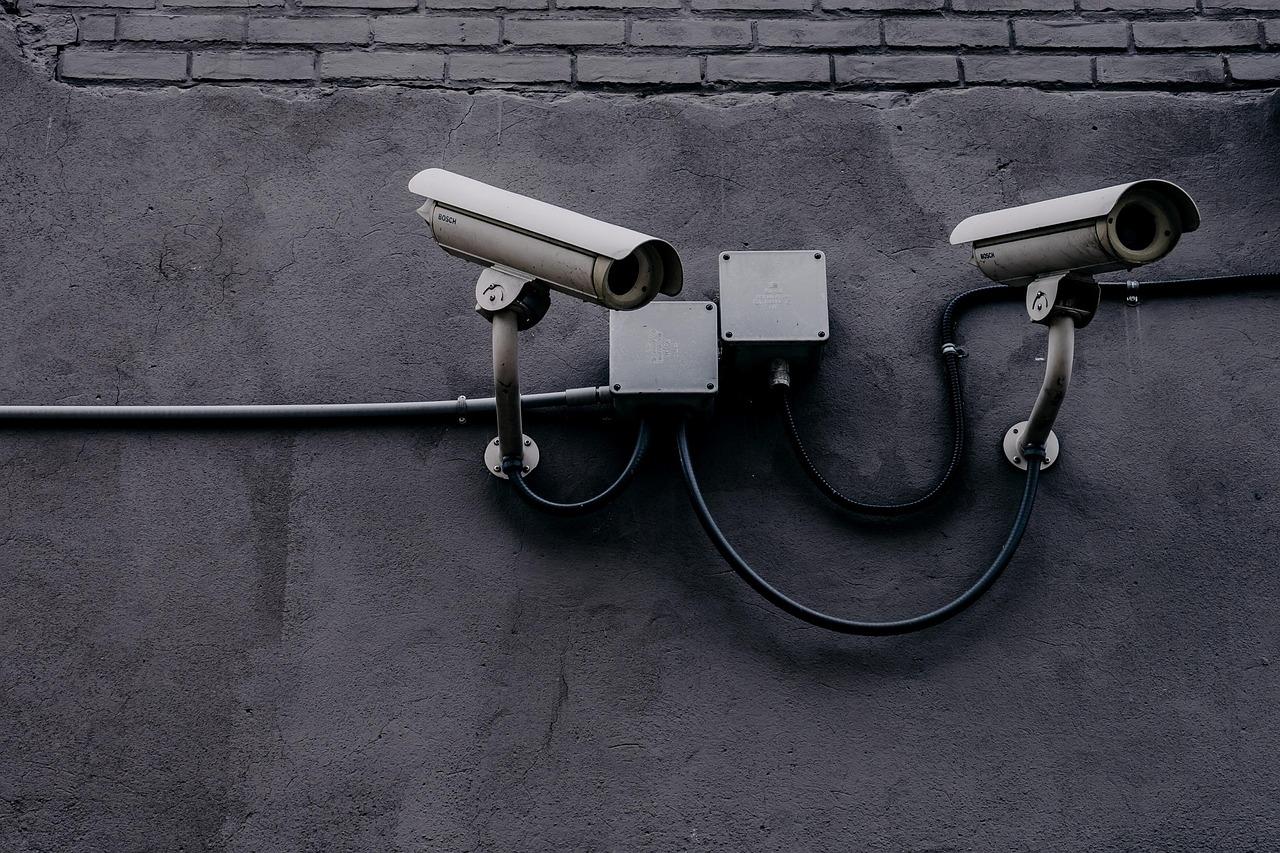
Simple Security Measures to Take Without Plugins
When it comes to securing your WordPress site, you’ve got options that don’t require relying on plugins. A bit of diligence can go a long way in protecting your website from threats. Here are some straightforward measures you can implement right away.
Regularly Update WordPress Core, Themes, and Plugins: Keeping your WordPress installation up to date is crucial. Every update not only introduces new features but also patches any vulnerabilities. Make it a habit to check for updates weekly, ensuring that you’re running the latest versions of:
- WordPress Core
- Your active theme
- All installed plugins
Utilize Strong Passwords and User Permissions: Weak passwords can be an easy gateway for hackers. Ensure that all users have strong passwords that incorporate a mix of letters, numbers, and symbols. Additionally, limit user permissions to only what is necessary. Here’s a quick reference on user roles:
| User Role | Access Level |
|---|---|
| Administrator | Full access to all site settings |
| Editor | Can publish and manage posts |
| Author | Can publish own posts |
| Subscriber | Can manage their profile only |
Implement Two-Factor Authentication (2FA): Adding an extra layer of security with two-factor authentication can significantly enhance your site’s protection. This process typically requires a second form of verification, like a code sent to your phone, in addition to your password. Consider enabling 2FA for all users with administrative access.
Regular Backups: In the event of a breach, having recent backups can save you from losing valuable data. Schedule regular backups of your WordPress files and database. Store these backups securely, preferably off-site, and ensure they are easy to restore.
Monitor User Activity: Keeping an eye on user activity can help you spot suspicious behavior early. Consider manually checking user logins and changes made to your site. Regular audits of user actions can reveal anomalies that warrant further investigation.
These steps can dramatically reduce your exposure to risks. By taking proactive measures, you can enhance your WordPress site’s security without the need for plugins. Remember, it’s all about being vigilant and informed.
How to Evaluate Which Security Plugin is Right for You
Choosing the right security plugin for your WordPress site can feel overwhelming, especially with so many options available. To make the selection process easier, consider the following factors:
- Features: Assess what features each plugin offers. Look for essential functionalities such as:
- Malware scanning
- Firewall protection
- Login attempt monitoring
- Two-factor authentication
- Security audits
- User Interface: A user-friendly interface can make a significant difference, especially if you’re not tech-savvy. Look for plugins that are intuitive and easy to navigate.
- Support and Updates: Evaluate the level of support provided. A good security plugin should have regular updates and a responsive support team. Check reviews and forums to gauge user satisfaction.
- Performance Impact: Security should not come at the expense of your site’s performance. Look for plugins that are optimized to run efficiently without slowing down your website.
Comparative Analysis
To simplify your decision, you can create a table comparing the top contenders based on the factors mentioned above. Here’s an example:
| Plugin Name | Key Features | UI | Support | Performance |
|---|---|---|---|---|
| Plugin A | Firewall, Malware Scan | ⭐️⭐️⭐️⭐️ | 24/7 Chat | Minimal |
| Plugin B | Login Monitoring, 2FA | ⭐️⭐️⭐️ | Email Support | Moderate |
| Plugin C | Security Audits, Backup | ⭐️⭐️⭐️⭐️⭐️ | Phone Support | Minimal |
In addition to these factors, read user reviews and watch tutorial videos to get a feel for how the plugin operates in real-world scenarios. Engaging with the community can provide insights that technical specs might not cover.
Budget: consider your budget. While some plugins are free, others come with premium features for a fee. Determine what you’re willing to invest in your site’s security and weigh the costs against the benefits each plugin offers.
By taking the time to evaluate these elements, you can make an informed decision that aligns with your security needs, ensuring your WordPress site remains safe and secure.

Real-World Examples of Security Breaches and Lessons Learned
Understanding the impact of real-world security breaches can be eye-opening and serve as a vital reminder of the importance of robust website security. Numerous high-profile incidents have demonstrated the devastating consequences of neglecting security measures. Here are some notable breaches and the lessons we can draw from them.
1. The Equifax Breach (2017): Over 147 million individuals were affected when cybercriminals exploited a vulnerability in Equifax’s web application. This incident underscores the importance of regularly updating your software and plugins. Ensuring that your WordPress site is up to date can protect against similar vulnerabilities.
2. Yahoo Data Breaches (2013-2014): Yahoo experienced two significant breaches affecting all 3 billion of its user accounts. A crucial takeaway from this incident is the necessity of implementing strong authentication practices. Multi-factor authentication (MFA) can significantly reduce the risk of unauthorized access to your WordPress admin area.
3. Target’s POS Breach (2013): This breach exposed the credit and debit card information of 40 million customers due to compromised point-of-sale systems. It serves as a reminder that securing payment gateways is essential, especially for eCommerce sites. Using security plugins that offer firewall and malware scanning can help protect against such threats.
4. WordPress Plugins Vulnerabilities: Various plugins have been targeted over the years, showing that even popular ones can have security flaws. In 2020, a vulnerability in the popular WP Super Cache plugin allowed hackers to inject malicious code. Regularly reviewing and testing your plugins, along with using security plugins that monitor for vulnerabilities, is crucial.
| Incident | Impact | Lesson Learned |
|---|---|---|
| Equifax Breach | 147 million affected | Keep software updated |
| Yahoo Breaches | 3 billion user accounts | Implement MFA |
| Target Breach | 40 million cards compromised | Secure payment gateways |
| WP Super Cache | Malicious code injection | Review plugin security regularly |
these security breaches serve as a stark reminder of the potential risks that come with running a website, particularly one built on WordPress. While the threats may evolve, the importance of proactive security measures remains constant. Utilizing security plugins can provide an additional layer of protection, helping to mitigate the risks and safeguard your site against potential breaches.

Balancing Security and Performance: Finding the Right Approach
When considering the security of your WordPress site, one of the first questions that arises is whether to use a security plugin. While these plugins can provide a suite of features designed to bolster your site’s defenses, they can also introduce performance overhead. Striking the right balance between security and performance is crucial. Here are some insights on what you can achieve with and without security plugins.
What You Can Do With Security Plugins
Security plugins often come equipped with a variety of tools that simplify the process of safeguarding your site. Here are some potent features you can utilize:
- Firewall Protection: Most security plugins include a firewall that can help block malicious traffic before it even reaches your site.
- Brute Force Attack Prevention: These plugins can limit login attempts, making it harder for hackers to guess passwords.
- Malware Scanning: They regularly scan your website for vulnerabilities and known malware signatures.
- Backup Solutions: Many plugins offer automated backups, ensuring you can restore your site quickly in case of an attack.
What You Can Do Without Security Plugins
Not every site requires a full-fledged security plugin to maintain its integrity. There are effective measures you can implement independently:
- Regular Updates: Keeping WordPress, themes, and plugins updated is one of the simplest yet most effective security measures.
- Strong Password Policies: Encourage the use of complex passwords and change them regularly to reduce the risk of unauthorized access.
- Two-Factor Authentication: Implementing 2FA can add an extra layer of security beyond just a password.
- Manual Backups: Regularly perform manual backups to ensure you have copies of your site data stored safely.
Comparison of Security Measures
| Features | With Security Plugin | Without Security Plugin |
|---|---|---|
| Firewall Protection | Yes | No |
| Brute Force Protection | Yes | Limited |
| Malware Scanning | Regularly | None |
| Automated Backups | Yes | Manual Required |
| Update Notifications | Automatic | Requires Manual Check |
Ultimately, the decision to use a security plugin or not comes down to your specific needs and resources. If your site handles sensitive information or experiences high traffic, investing in a quality security plugin can provide peace of mind. Conversely, if you’re running a simpler blog or portfolio, robust manual practices might suffice.
It’s all about evaluating your unique situation. Consider how much time you can dedicate to security measures and whether the features of a security plugin align with your operational goals. Balancing security and performance doesn’t have to be daunting; it just requires thoughtful consideration of your website’s specific needs.
Final Thoughts: Investing in Your Sites Security for Peace of Mind
As you navigate the world of WordPress security, it’s crucial to recognize that investing in your site’s security is not just about protecting data; it’s about ensuring peace of mind. The digital landscape is constantly evolving, with new threats emerging every day. By prioritizing security, you can shield your online presence from potential breaches and instill confidence among your visitors.
Choosing to implement a security plugin offers numerous advantages that can significantly enhance your site’s defenses. Here are a few reasons why you should consider this investment:
- Proactive Threat Detection: Security plugins often provide real-time monitoring, allowing you to detect potential threats before they escalate.
- Automatic Updates: Many plugins offer automatic updates that ensure your site is always equipped with the latest security measures.
- Firewall Protection: A security plugin can integrate a firewall that actively blocks malicious traffic, safeguarding your content.
- Backup Solutions: Some plugins come with built-in backup features, ensuring your data is secure and recoverable in case of an emergency.
On the other hand, opting to navigate without a security plugin can leave your site vulnerable. However, if you choose this route, consider adopting these essential practices:
- Regular Updates: Keep your WordPress core, themes, and plugins updated to patch vulnerabilities.
- Strong Passwords: Implement complex passwords and change them regularly to reduce the risk of unauthorized access.
- Manual Backups: Schedule regular backups of your site manually to ensure data recovery options are available.
- Limit Login Attempts: Use server settings to limit login attempts, making it harder for attackers to gain access.
Ultimately, the choice between using a security plugin or relying on manual methods depends on your resources and comfort level with technical aspects. However, the peace of mind that comes with a robust security system is often worth the investment. When you know your site is secure, you can focus on what truly matters: creating great content and growing your audience.
To further illustrate the differences between opting for a security plugin versus going without, here’s a simple comparison:
| Feature | With Security Plugin | Without Security Plugin |
|---|---|---|
| Real-Time Monitoring | Yes | No |
| Automatic Updates | Yes | No |
| Firewall Protection | Included | Depends on hosting |
| Backup Solutions | Built-in | Manual only |
Investing in security means more than just protecting your website; it’s about safeguarding your reputation and your audience’s trust. Make the choice that empowers you and your business, ensuring that your online presence is as secure as it is vibrant.
Frequently Asked Questions (FAQ)
Q: Why should I consider using a WordPress security plugin?
A: Great question! WordPress security plugins offer a robust layer of protection for your site. They come packed with features like firewall protection, malware scanning, and login attempt monitoring that can safeguard your site from hackers and malicious attacks. Without a plugin, you might be leaving your site vulnerable to threats.
Q: What are some essential functions that security plugins provide?
A: Security plugins often include features like automated backups, security audits, and real-time threat detection. They can automatically block suspicious IP addresses and notify you of potential vulnerabilities. While you can perform some of these tasks manually, having a plugin does it for you, saving time and reducing the risk of human error.
Q: Is it possible to secure my WordPress site without a security plugin?
A: Absolutely! You can take several steps to enhance your site’s security, such as regularly updating your WordPress version, themes, and plugins. You can also use strong passwords, limit login attempts, and install an SSL certificate. However, these methods require ongoing attention and technical know-how, which can be overwhelming.
Q: What are the downsides of not using a security plugin?
A: Not using a security plugin means you’re relying solely on manual methods for protection. This can be time-consuming and might not cover all vulnerabilities. You could miss critical updates or overlook potential threats, leaving your site at risk. A security plugin automates these processes, ensuring you’re always protected without the constant manual monitoring.
Q: Can I mix and match security measures, with and without plugins?
A: Definitely! In fact, that’s a smart approach. You can use a security plugin for the heavy lifting—like real-time scanning and firewall protection—while also implementing additional measures like strong passwords and regular updates. This layered security strategy gives your website the best chance against threats.
Q: Ultimately, do you think a security plugin is worth the investment?
A: Without a doubt! While you can manage security without a plugin, the peace of mind that comes with automated protection is invaluable. A security plugin can save you from the headaches and financial losses associated with a security breach. Investing in a good security plugin is like applying insurance; it’s better to have it and not need it than to need it and not have it!
Wrapping Up
deciding whether you need a WordPress security plugin really comes down to your unique needs and comfort level with website security. While plugins offer a robust shield against threats and simplify many tasks, there are certainly effective practices you can implement on your own if you prefer a hands-on approach.
Think about what you’ve learned today: the potential risks lurking around the web, the ease of automating security measures, and the peace of mind that comes from knowing your site is protected. If you’re feeling overwhelmed or unsure, a security plugin might just be the perfect solution to take a load off your shoulders.
On the flip side, if you’re tech-savvy and enjoy managing things yourself, you can achieve a solid security posture without relying solely on plugins. Just remember, maintaining a secure WordPress site is an ongoing commitment, no matter the approach you choose.
So, whether you’re Team Plugin or Team DIY, the key takeaway is to stay proactive. Don’t wait for a security breach to learn the importance of safeguarding your site. Take action today, and ensure your WordPress experience is not only enjoyable but secure too! If you have questions or want to share your own experiences with WordPress security, let’s chat in the comments!
New Providers

Enjoy The Speed Of Downloading & Uploading With 1GBPS Port



Affordable Dedicated Servers & Colocation Services. Services: Dedicated Servers Colocation Private Cabinet Colocation DDoS Protection

Up to 85% off hosting + website builder


We specialize in providing Web hosting reviews. Where you can search for potential hosts.