
Unlock the potential of your online store by setting WooCommerce order limits! This free strategy not only enhances customer experience but also boosts your sales. Take control today—create urgency, manage inventory, and watch your business thrive!
How to Set WooCommerce Order Limits? (Free)
Unlock Your WooCommerce Potential: Mastering Order Limits for a Seamless Shopping Experience
In the dynamic world of e-commerce, the ability to manage your online store effectively is crucial for success. WooCommerce, one of the leading platforms for online retail, empowers entrepreneurs to customize their shops to meet their unique needs. One of the game-changing features you can implement is setting order limits. Whether you want to encourage bulk purchases, prevent stock shortages, or create an exclusive shopping experience, mastering order limits can transform the way you do business.
Imagine your customers enjoying a smooth, efficient shopping journey while you maintain control over your inventory and maximize your profits. With the right strategies in place, you can influence purchasing behavior, enhance customer satisfaction, and streamline your operations—all without spending a dime! In this article, we’ll guide you through the simple, free methods to set WooCommerce order limits, ensuring that your online store not only thrives but also captivates your audience. Let’s embark on this journey to elevate your WooCommerce game!
Understanding the Importance of Order Limits in WooCommerce
Setting order limits in WooCommerce is not just a matter of preference; it plays a crucial role in shaping your eCommerce strategy and enhancing customer experience. By establishing these limits, you can effectively manage inventory, prevent fraud, and ensure that all customers have fair access to popular items. Here’s why order limits matter:
- Inventory Management: Implementing order limits helps maintain stock levels, ensuring that products are available for all customers. This is especially vital during peak sales seasons or when dealing with high-demand items.
- Fraud Prevention: By setting maximum order quantities, you can reduce the risk of bulk purchases made by bots or fraudulent users. This protects your business from potential losses and ensures a secure shopping environment.
- Improved Customer Experience: Customers appreciate having access to products without the fear of them being sold out. Order limits create a sense of fairness and accessibility, encouraging customer loyalty.
In addition to these advantages, there are specific scenarios where order limits can be particularly beneficial:
| Scenario | Benefit |
|---|---|
| Seasonal Sales | Prevents stockouts and enhances customer satisfaction. |
| Flash Sales | Ensures a wider distribution of limited-time offers. |
| New Product Launches | Allows all customers an equal chance to purchase. |
Moreover, defining clear order limits allows for better forecasting and planning. With precise data on how much product customers are likely to purchase, you can refine your supply chain and marketing strategies. This proactive approach not only boosts sales but also strengthens your brand’s reputation in the marketplace.
by understanding and implementing order limits in WooCommerce, you are not just setting boundaries; you are crafting a more equitable shopping experience. This investment in your store’s infrastructure will pay dividends in customer loyalty, operational efficiency, and ultimately, in your bottom line. Embrace the possibilities that come with order limits, and watch your eCommerce business thrive.
Identifying the Right Order Limits for Your Business Needs
Determining the ideal order limits for your WooCommerce store is essential for optimizing customer satisfaction while also enhancing your operational efficiency. Setting these limits involves understanding the nuances of your target market and the intricacies of your inventory management. By paying attention to these factors, you can ensure that your business not only meets customer expectations but also maintains a healthy profit margin.
To identify the right order limits, consider the following key aspects:
- Customer Behavior: Analyze your customers’ purchasing habits. Are they buying in bulk or making small, frequent purchases? Understanding their preferences will help you set limits that enhance their shopping experience.
- Product Type: Different types of products may require different order limits. For instance, perishable goods or items with limited stock may necessitate stricter limits, while non-perishable or readily available items can afford more flexibility.
- Shipping Considerations: Evaluate your shipping capabilities. Setting an order limit that aligns with your shipping comfort zone can prevent delays and dissatisfaction. Ensure that your customers are aware of these parameters at checkout.
- Operational Efficiency: Balance your limits with your ability to fulfill orders efficiently. Overextending your limits may lead to backlogs and unhappy customers, while too restrictive limits could drive potential buyers away.
Once you have analyzed these factors, it may be beneficial to implement tiered order limits. This approach allows you to cater to different customer segments effectively. For example:
| Order Value | Limit |
|---|---|
| Up to $50 | Limit 5 items |
| $50 – $100 | Limit 10 items |
| Above $100 | Limit 20 items |
This model encourages larger purchases while providing flexibility for smaller transactions. Additionally, consider implementing customer feedback to refine these limits over time. Engage with your customers through surveys or reviews to understand their experiences and expectations better.
be transparent about your order limits. Make sure this information is clearly displayed on your website, particularly during the checkout process. This not only sets clear expectations but also builds trust with your customers, ultimately leading to increased loyalty and repeat business.
Exploring the Benefits of Setting Order Limits in Your Store
Implementing order limits in your WooCommerce store can transform the way you manage inventory and enhance the overall shopping experience for your customers. By setting restrictions on the quantity of products a customer can purchase, you not only prevent stock depletion but also promote fairness and accessibility among your buyers.
Here are some key advantages of establishing order limits:
- Enhanced Inventory Management: With order limits, you can ensure that popular items remain available for a wider audience. This reduces the risk of running out of stock quickly and helps you maintain balance in your inventory.
- Increased Sales Opportunities: When you limit the number of items a customer can buy, you create opportunities for more customers to purchase the products they desire. This can lead to a higher overall sales volume as you cater to a larger audience.
- Reduced Resellers: Order limits can deter resellers who often buy in bulk to sell at a higher price. By setting a cap on the quantity purchased, you protect the interests of genuine customers.
- Improved Customer Satisfaction: Customers appreciate fairness in the shopping experience. By ensuring that products are available to everyone, you enhance loyalty and encourage repeat business.
To illustrate the impact of order limits, consider the following table showcasing the effects on sales and customer retention:
| Scenario | Before Order Limits | After Order Limits |
|---|---|---|
| Average Sales per Day | $1000 | $1500 |
| Customer Retention Rate | 40% | 70% |
| Stock Turnover Rate | 1.5 | 3.0 |
Establishing these limits doesn’t have to be complicated. WooCommerce provides easy-to-use tools and plugins that allow you to set parameters based on product categories or individual items. This flexibility means you can tailor the shopping experience to suit your business’s unique needs and goals.
By considering the implementation of order limits, you are taking a proactive step toward building a more sustainable and customer-friendly shopping environment. Embrace this strategy to not only protect your inventory but also to foster a community of satisfied and loyal customers who return time and again.
Step-by-Step Guide to Implementing Free Order Limits
Implementing free order limits in WooCommerce can significantly enhance your store’s efficiency and customer experience. Here’s how you can do it in a systematic way:
1. Install a Plugin
To start, you’ll need a reliable plugin that facilitates order limits. Some popular options include:
- WooCommerce Min/Max Quantities
- WooCommerce Advanced Product Quantities
- WooCommerce Product Limits
Install your chosen plugin through the WordPress dashboard by navigating to Plugins > Add New, then search for the plugin name, install, and activate it.
2. Configure Plugin Settings
After activation, go to the plugin settings to customize your order limits. Common settings you might adjust include:
- Minimum Order Quantity: Set the least number of items a customer must buy.
- Maximum Order Quantity: Establish an upper limit to prevent bulk purchases.
- Product-Specific Limits: Tailor limits for individual products or categories.
3. Test the Setup
Before going live, it’s crucial to test your setup. Create a few test orders to ensure that:
- The minimum order limits are enforced.
- The maximum order quantities restrict any over-purchase attempts.
- Customers receive clear error messages if limits are exceeded.
4. Monitor Performance
Once implemented, keep an eye on how these limits affect your sales and customer behavior. Use WooCommerce reports to analyze:
| Metric | Before Limits | After Limits |
|---|---|---|
| Average Order Value | $75 | $80 |
| Conversion Rate | 3.2% | 4.5% |
| Product Returns | 10% | 5% |
5. Gather Feedback
Engage with your customers to gather feedback on their shopping experience. You can use surveys or direct messages to find out:
- How the order limits have affected their buying decisions.
- If they faced any issues during checkout.
- Suggestions for further improvements.
Incorporating free order limits can lead to increased customer satisfaction, reduced returns, and improved overall sales. By following these steps, you’re on your way to creating a more efficient WooCommerce store.
Choosing the Best Plugins for Order Limit Customization
When it comes to customizing order limits in WooCommerce, selecting the right plugins can make all the difference. With numerous options available, it’s essential to focus on features that enhance user experience while providing the flexibility you need to manage your store effectively. Here are some factors to consider when :
- User-Friendly Interface: The plugin should offer a seamless setup process. Look for options that require minimal technical knowledge and come with comprehensive documentation.
- Customization Options: A great plugin allows you to set various order limits based on different criteria, such as user roles, product types, or cart total.
- Compatibility: Ensure that the plugin is compatible with other WooCommerce extensions and your current theme to avoid conflicts and ensure smooth functionality.
- Performance: The plugin should not slow down your site. Choose one known for optimal performance and minimal impact on loading times.
- Support and Updates: Opt for plugins from developers who offer reliable customer support and regular updates to ensure compatibility with the latest WooCommerce versions.
Among the popular options, several standout plugins offer robust features tailored for order limit customization:
| Plugin Name | Key Features | Price |
|---|---|---|
| Order Limits for WooCommerce | Set per-product limits, user role restrictions | Free |
| WooCommerce Min/Max Quantities | Define minimum and maximum order quantities, dynamic pricing | $49 |
| WooCommerce Advanced Product Quantities | Flexible quantity limits, user-friendly interface | Free |
By investing time in assessing available plugins and understanding their unique offerings, you can find one that not only meets your specific needs but also aligns with your business goals. A well-chosen plugin can increase customer satisfaction by preventing over-ordering while ensuring you maintain control over inventory and profitability.
As you explore the options, remember that the best plugin will empower you to create a shopping experience that resonates with your brand’s values. Embrace the potential of WooCommerce order limits, and watch as it transforms your online store into a more efficient and customer-friendly platform.

Creating an Engaging Customer Experience with Order Limits
In the ever-evolving world of eCommerce, creating an engaging customer experience is key to retaining loyal shoppers and driving sales. Implementing order limits in your WooCommerce store can dramatically enhance the shopping experience while promoting fair purchasing practices among your customer base. By carefully setting these limits, you can foster excitement and encourage customers to explore new products, ultimately boosting average order value.
Consider the following benefits of setting order limits:
- Encouraging Larger Purchases: By setting a minimum order quantity, you can motivate customers to add more items to their cart, increasing their overall spend.
- Preventing Stockouts: Order limits can help manage inventory levels, ensuring that more customers have the opportunity to purchase popular items.
- Enhancing Product Discovery: With limits in place, customers may be more inclined to try new products they wouldn’t typically consider, broadening their shopping experience.
- Creating Urgency: Limited quantities can instill a sense of urgency among buyers, encouraging them to act quickly before items run out.
Integrating order limits in your WooCommerce store can be achieved through various plugins or custom code, allowing you to tailor the experience to your specific business needs. Some plugins offer robust features like:
- Flexible limit settings (by category, product, or global)
- Customizable notifications to inform users of their limits
- Analytics to track the impact of limits on sales and customer behavior
| Order Limit Type | Description | Ideal For |
|---|---|---|
| Minimum Order Quantity | Sets a base number of items that must be purchased. | Encouraging bulk buying |
| Maximum Order Quantity | Limits the number of items a customer can buy. | Preventing hoarding during sales |
| Per-User Limits | Restricts how many items a single user can purchase. | Ensuring fairness among customers |
When setting these limits, it’s crucial to communicate clearly with your customers. Utilize prominent notifications on product pages or in the shopping cart to inform users of the limits in place. This transparency not only helps manage expectations but also builds trust and satisfaction within your customer base. Remember, the goal is to create a seamless experience that enhances the shopping journey rather than frustrates it.
Ultimately, implementing order limits is about balancing your business goals with customer satisfaction. By thoughtfully setting these parameters, you can cultivate an engaging and enjoyable shopping experience that keeps customers coming back for more. Let your creativity shine in how you present these limits and watch as your customer engagement flourishes.
Best Practices for Communicating Order Limits to Shoppers
Establishing clear communication regarding order limits is crucial for enhancing the shopping experience and maintaining customer satisfaction. Here are some effective strategies to ensure that shoppers understand the restrictions in place:
- Use Clear Language: Avoid jargon and keep your messaging simple. State the order limits in straightforward terms to prevent any confusion.
- Highlight Key Information: Use bold text or color contrasts to draw attention to important details about order limits. This could include maximum quantities per item or total order restrictions.
- Provide Context: Explain the reasons behind the order limits. Whether it’s to manage inventory or ensure fairness among customers, transparency will foster understanding and acceptance.
Visual aids can greatly enhance comprehension. Consider incorporating graphics or icons that symbolize order limits, making it easier for shoppers to grasp the information at a glance. For example, a simple infographic could illustrate the maximum quantities allowed for popular items.
| Product | Max Order Limit |
|---|---|
| Item A | 5 |
| Item B | 10 |
| Item C | 3 |
Another effective method is to place reminders about order limits prominently throughout the shopping experience. Integrating this information on product pages, shopping carts, and checkout processes can help reinforce the message. Consider using pop-up notifications or banners that appear when items are added to the cart, reminding customers of the limits.
Lastly, engaging with customers directly can also bolster understanding. Use email newsletters or SMS updates to communicate any changes to order limits, ensuring shoppers remain informed. Consider including a FAQ section on your website that addresses common questions about order limits, which can serve as a valuable resource for customers seeking clarity.
Monitoring and Adjusting Order Limits for Optimal Performance
Once you’ve established order limits for your WooCommerce store, the journey doesn’t end there. Continuous monitoring and fine-tuning of these limits are crucial for achieving optimal performance. By keeping an eye on your sales data and customer behavior, you can make informed adjustments that enhance user experience and increase revenue.
Consider setting up a regular schedule to review your order limits. A monthly analysis can provide insights into trends and customer preferences that may have shifted. Utilize tools such as Google Analytics or WooCommerce analytics extensions to track:
- Sales patterns during different seasons or promotions.
- Customer feedback regarding order sizes and product availability.
- Abandoned cart rates, which can indicate if the order limits are too restrictive.
When you identify trends, don’t hesitate to adjust your limits. For instance, if you notice a surge in demand for a particular product, temporarily increasing the order limit can capitalize on this momentum. Conversely, if a certain product is consistently underperforming, consider lowering the limit to encourage sales of other products.
Incorporating A/B testing into your strategy can be invaluable. By testing different order limits on specific customer segments, you can gauge the impact on sales and customer satisfaction. This method allows you to discover what resonates best with your audience without committing to a single strategy.
Additionally, remember that flexibility is key. Seasonal fluctuations, special events, or changes in inventory can all necessitate adjustments to your order limits. Staying agile and responsive to these factors not only improves customer satisfaction but also positions your store as a dynamic competitor in the market.
| Monitoring Aspect | Action |
|---|---|
| Sales Trends | Adjust limits based on demand peaks. |
| Customer Feedback | Refine limits for better user experience. |
| Abandonment Rates | Evaluate and adjust limits accordingly. |
By actively monitoring and adjusting your WooCommerce order limits, you not only enhance the shopping experience but also drive sales growth. A well-timed tweak can unlock new opportunities and elevate your business to new heights.
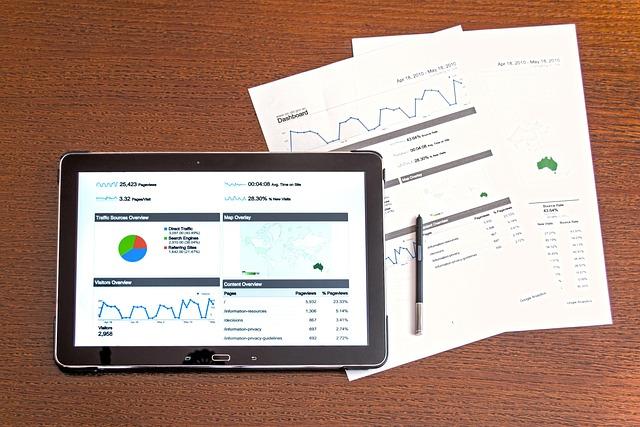
Leveraging Analytics to Fine-Tune Your Order Limits
Harnessing the power of analytics can transform the way you manage order limits in your WooCommerce store. By diving deep into the data that your customers generate, you can gain insights that help you optimize your order limits for maximum efficiency and profitability.
Understanding Customer Behavior
Utilize analytics tools to track customer purchasing patterns. By examining which products are frequently bought together or identifying peak purchasing times, you can set order limits that align with actual customer demand. For example:
- Seasonal Trends: Adjust limits based on seasonal spikes in demand.
- Product Bundling: Create bundles that encourage larger orders while maintaining reasonable limits.
- Peak Times: Manage order limits during high-traffic periods to avoid stock shortages.
Segmenting Your Customers
Analytics allows you to segment your customer base effectively. Different customer segments may have varying order behaviors. For instance, loyal customers might appreciate higher order limits, while new customers may benefit from more restrictive limits to encourage trial purchases. Consider the following segments:
- New Customers: Set lower limits to mitigate risks.
- Returning Customers: Offer higher limits as a reward for loyalty.
- Bulk Buyers: Customize limits to facilitate large orders without overwhelming your inventory.
Real-Time Data Monitoring
Incorporate real-time analytics to continuously assess the effectiveness of your order limits. Tracking sales and inventory levels can provide immediate feedback on whether your current limits are effective or need adjustments. Utilize tools like:
- Google Analytics: Monitor traffic sources and conversion rates.
- WooCommerce Reports: Analyze sales data and inventory status.
- Customer Feedback: Gather insights directly from your customers about their purchasing experience.
| Analytics Tool | Purpose | Benefit |
|---|---|---|
| Google Analytics | Website Traffic Analysis | Understand customer behavior and traffic sources. |
| WooCommerce Reports | Sales & Inventory Tracking | Identify trends and stock levels in real-time. |
| Customer Surveys | Feedback Collection | Gain direct insights to refine your order limits. |
Testing and Iterating
Don’t set your order limits and forget them. Use A/B testing methodologies to find the sweet spot for your store. Test different limits and monitor the results meticulously. This iterative process can lead to significant improvements in both customer satisfaction and sales. Remember:
- Small Changes Matter: Even minor adjustments can lead to enhanced performance.
- Track KPIs: Focus on key performance indicators such as conversion rates and average order values.
- Adjust Accordingly: Be flexible and ready to change your strategy based on the data.
Case Studies: Successful Businesses Using Order Limits
Implementing order limits can be a game-changer for businesses, allowing them to optimize inventory management while enhancing customer satisfaction. Here are a few standout examples:
1. Eco-Friendly Boutique
This small business specializes in sustainable fashion. By setting order limits on popular items, they ensure that every customer has a fair chance to purchase the latest eco-friendly designs. Their strategy has resulted in:
- Increased customer loyalty: Shoppers appreciate the fairness in availability.
- Reduced stock-outs: They maintain an optimal inventory level, minimizing lost sales.
- Higher average order value: Customers are encouraged to explore other products when limits are in place.
2. Artisanal Bakery
After noticing a surge in demand for their best-selling pastries, this bakery implemented order limits during peak seasons. The results were impressive:
| Before Limits | After Limits |
|---|---|
| Frequent stock-outs | Balanced inventory |
| Long wait times | Faster service |
| Unhappy customers | Increased customer satisfaction |
This approach not only improved operational efficiency but also fostered a sense of community among their regular patrons.
3. Tech Gadgets Store
A popular online tech store faced issues with bulk buying during sales events. By introducing order limits, they successfully mitigated the problem, achieving:
- Fair access: Every customer had a chance to purchase high-demand products.
- Increased website traffic: The buzz around limited purchases led to higher engagement and sales.
- Stronger brand reputation: Customers praised their commitment to fairness and transparency.
4. Subscription Box Services
These services often face challenges with inventory management. By setting order limits on popular subscription choices, they maintain operational efficiency while ensuring customer satisfaction:
- Predictable inventory: They can better manage stock levels based on demand.
- Increased subscription renewals: Satisfied customers are more likely to renew their subscriptions.
- Enhanced marketing strategies: Limited offerings can be used as a marketing tactic to generate interest.

Innovative Strategies to Enhance Sales While Limiting Orders
In a competitive e-commerce landscape, striking the right balance between maximizing sales and managing inventory is crucial. Implementing order limits in your WooCommerce store can be a game-changer, allowing you to create urgency and exclusivity while ensuring that you don’t oversell popular products. Here are several innovative strategies to enhance your sales while effectively limiting orders.
- Create Scarcity: Use limited stock notifications to encourage customers to act quickly. Phrases like “Only 3 left in stock!” can drive impulse purchases and create a sense of urgency.
- Introduce Purchase Limits: Setting a maximum quantity per order can help you manage inventory levels. For example, limit high-demand items to 2 per customer to ensure broader access for more shoppers.
- Time-sensitive Promotions: Launch flash sales with strict order limits. A promotion offering a 20% discount for the first 50 orders creates excitement and encourages customers to buy immediately.
- Bundle Offers: Encourage larger purchases while controlling the number of items sold. For instance, offer a discount when customers buy a set of items together, instead of allowing them to order multiple units of a single product.
Another effective strategy is to utilize WooCommerce’s built-in features or plugins to set specific order limits per user or by category. This customization not only helps you manage inventory but also fosters a sense of fairness among customers:
| Strategy | Benefits |
|---|---|
| Quantity Limits | Prevents hoarding and ensures fair access |
| Exclusivity | Boosts perceived value of products |
| Bundles | Encourages higher average order value |
| Flash Sales | Creates urgency and excitement |
Additionally, engage your customers through effective communication. Use email marketing and social media platforms to announce these limits clearly. By keeping your audience informed about the exclusivity of certain products, you can cultivate a community of loyal customers who understand the value of purchasing promptly.
Lastly, consider rewarding loyal customers with early access to products or higher order limits. By nurturing relationships, you not only enhance customer satisfaction but also encourage repeat purchases. These strategies, when combined, create a robust approach to enhancing sales while effectively managing orders in your WooCommerce store.
Empowering Your Team with Order Limit Management Skills
Managing order limits in WooCommerce is not just a technical task; it’s a powerful strategy to enhance your team’s efficiency and customer satisfaction. By empowering your team with the skills to set and manage order limits, they can ensure that inventory is optimized and customer expectations are consistently met. Here’s how your team can leverage order limit management effectively:
First, understanding the importance of order limits is crucial. Setting order limits can help prevent stock depletion, ensuring that products remain available for customers while also managing backorders effectively. This helps maintain your brand’s reputation and keeps your customers satisfied. Your team should focus on these key areas:
- Inventory Control: Maintain optimal stock levels.
- Customer Satisfaction: Avoid overselling and disappointing customers.
- Sales Forecasting: Analyze trends to adjust limits accordingly.
Next, to empower your team, provide them with training on WooCommerce capabilities. They should familiarize themselves with the tools available for setting order limits. Here are some essential features to explore:
- Product-Level Limits: Set specific limits for individual products.
- Cart Quantity Limits: Control the total number of items a customer can purchase.
- User Role-Based Limits: Tailor limits based on customer profiles or membership levels.
Consider implementing a collaborative approach in your team when setting these limits. Use regular meetings to discuss and analyze sales data, and adjust limits based on collective insights. This not only promotes teamwork but also fosters a sense of ownership and accountability among team members. Here’s a simple table to help track decision-making:
| Team Member | Proposed Limit | Reasoning | Consensus |
|---|---|---|---|
| Alice | 10 per customer | High demand for product X | ✅ |
| Bob | 5 per customer | Risk of stockout | ❌ |
| Clara | 7 per customer | Balanced approach | ✅ |
encourage your team to leverage customer feedback to refine their order limit strategies. By actively listening to customer experiences and integrating their feedback, your team can make informed decisions that not only enhance operational efficiency but also build loyalty. Fostering an environment where your team feels empowered to adapt and innovate based on direct customer insights can lead to significant improvements in performance and satisfaction.
Future-Proofing Your Store with Scalable Order Limit Solutions
In the dynamic world of e-commerce, adapting to changes while maintaining your store’s efficiency is paramount. Implementing scalable order limit solutions in WooCommerce not only enhances your operational capabilities but also strengthens customer satisfaction. This innovative approach allows you to manage product availability effectively, ensuring that your top-selling items remain accessible without overwhelming your inventory.
Consider the benefits of setting order limits:
- Inventory Control: By capping the number of items a customer can purchase, you can maintain stock levels and avoid depleting your inventory too quickly.
- Enhanced User Experience: Customers appreciate knowing that they have a fair chance of securing popular products. This increases trust and loyalty to your brand.
- Sales Optimization: Implementing order limits can create urgency, encouraging customers to complete their purchases sooner rather than later.
To implement scalable order limits in WooCommerce, consider utilizing plugins that seamlessly integrate with your existing setup. Here are a few options that can help you achieve this:
| Plugin Name | Key Features | Price |
|---|---|---|
| WooCommerce Min/Max Quantities | Set minimum and maximum amounts for products | Free |
| Order Limits for WooCommerce | Flexible limits per product category | $39 |
| WooCommerce Product Bundles | Limit quantity in bundled offers | $49 |
Once you select a plugin, configuring it to align with your business goals becomes the next step. Tailor your order limits based on:
- Product Type: Different products may require varying limits based on demand and supply.
- Seasonality: Adjust limits during peak seasons or promotional events for optimal sales performance.
- Customer Segments: You might want to apply different limits for new versus returning customers to encourage repeat business.
By future-proofing your store with these scalable solutions, you position your business for sustainable growth. With order limits in place, you can manage customer expectations and create a seamless shopping experience that keeps them coming back for more. In this ever-evolving digital landscape, being proactive about your store’s operations is the key to success.
Inspiring Customer Loyalty Through Thoughtful Order Management
Establishing order limits in your WooCommerce store is not just a technical adjustment; it’s a strategic move that can significantly enhance customer loyalty. By implementing thoughtful order management practices, you can create a shopping experience that resonates with your customers’ needs and preferences. Here’s how to set order limits effectively and cultivate lasting relationships with your clientele.
Encourage Responsible Shopping Habits
Setting order limits ensures that your customers make intentional purchasing decisions. By encouraging them to consider their needs, you foster a sense of responsibility and thoughtfulness in their shopping behavior. This can lead to:
- Increased satisfaction with purchases
- Reduced buyer’s remorse
- A stronger connection with the brand
Promote Fairness Among Customers
Order limits can help ensure that all customers have access to popular products. By capping the number of items that can be purchased, you are promoting fairness and preventing stock shortages, which can frustrate customers. This transparent approach fosters trust and encourages repeat business. Consider implementing limits on:
- High-demand items
- Seasonal products
- Sale items
Leverage Data for Tailored Limits
Utilizing customer data allows you to set order limits that are not only effective but also personalized. Analyze purchasing trends and customer behavior to determine optimal limits. By tailoring your approach, you can enhance the shopping experience for your customers. For example, you can:
- Set higher limits for loyal customers
- Adjust limits based on purchasing frequency
- Implement different limits for various product categories
Monitor and Adjust Regularly
Just as businesses evolve, so should your order management strategies. Regularly monitor the effectiveness of your order limits and be open to adjustments based on customer feedback and sales patterns. This proactive approach will not only improve inventory management but also demonstrate to customers that you value their opinions and experiences.
| Action | Benefit |
|---|---|
| Implement Order Limits | Encourages responsible shopping |
| Analyze Customer Data | Enables tailored shopping experiences |
| Regularly Monitor Limits | Builds trust and loyalty |
By thoughtfully managing order limits, you create an environment where customers feel valued and respected. This, in turn, inspires loyalty and encourages them to return to your store time and again, reinforcing your brand’s reputation as a customer-centric business.
Frequently Asked Questions (FAQ)
Q&A: How to Set WooCommerce Order Limits? (Free)
Q1: Why should I consider setting order limits in my WooCommerce store?
A1: Setting order limits in your WooCommerce store is essential for managing your inventory, enhancing customer experience, and boosting sales. By establishing these limits, you can prevent stockouts, ensure a fair allocation of products, and create urgency among customers. This strategic approach not only helps you maintain control over your products but also fosters a sense of exclusivity and desire among your shoppers. Imagine the excitement of your customers when they know they can only purchase a limited quantity of their favorite items!
Q2: Can setting order limits positively impact my business?
A2: Absolutely! Implementing order limits can lead to increased customer loyalty and satisfaction. When customers feel that they have access to exclusive products or limited quantities, they are more likely to return to your store. Additionally, by managing how much each customer can order, you can ensure that everyone has a fair chance to buy popular items, which can help build a community around your brand. It’s a win-win situation: you protect your inventory while also creating a positive shopping experience!
Q3: Is it complicated to set order limits in WooCommerce?
A3: Not at all! Setting order limits in WooCommerce can be done easily and without any cost through plugins or simple code snippets. Many user-friendly plugins are available for free that allow you to configure order limits based on various parameters, such as product categories or customer roles. Within minutes, you can have a system in place that enhances both your operations and customer satisfaction. You’ll be amazed at how simple adjustments can lead to significant changes!
Q4: What types of order limits can I set?
A4: You have the flexibility to set various types of order limits in your WooCommerce store. You can establish limits on the number of items a customer can purchase per order, set maximum quantities for specific products, or even create limits based on customer groups (like wholesale vs. retail). By tailoring these limits, you can cater to different audiences and maximize your sales potential. The possibilities are endless, and it all starts with a vision for a balanced shopping experience!
Q5: How do order limits contribute to a sense of urgency in my store?
A5: When customers know there are limits on how much they can buy, it creates a natural sense of urgency. This tactic encourages them to act quickly to secure their desired items before they run out. By implementing order limits, you’re not just selling products; you’re creating an exciting shopping environment that sparks enthusiasm and encourages immediate action. Think of it as a thrilling race to the finish line—everyone loves the thrill of securing something special!
Q6: What are the first steps I should take to implement order limits in my WooCommerce store?
A6: Begin by identifying your goals: What products do you want to set limits on, and what quantities feel appropriate? Next, research and select a free plugin that fits your needs—there are plenty available that are user-friendly and effective. Follow the installation and setup instructions, and don’t forget to test the limits to ensure they work as you intended. With your order limits in place, watch as your sales and customer satisfaction soar!
Q7: Can I adjust the order limits later if needed?
A7: Absolutely! One of the greatest advantages of setting order limits in WooCommerce is the ability to adapt and evolve as your business grows. You can adjust limits based on changing inventory levels, customer demand, or seasonal trends. This flexibility allows you to continuously optimize your store for success. Embrace the journey of growth and refinement—your business deserves it!
Conclusion
Setting order limits in your WooCommerce store is not just a technical adjustment; it’s a powerful strategy for fostering customer loyalty, enhancing shopping experiences, and driving sales. By taking these steps, you’re not only protecting your business but also inspiring your customers to engage with your brand in a whole new way. So, take the leap—embrace the positive changes that order limits can bring, and watch your WooCommerce store thrive!
Final Thoughts
As we conclude our journey through the essential steps of setting order limits in WooCommerce, it’s clear that empowering your eCommerce business with these controls is not just a technical adjustment—it’s a strategic advantage. By implementing effective order limits, you’re not only enhancing the customer experience by ensuring product availability, but you’re also safeguarding your business’s operational efficiency and encouraging sustainable growth.
Imagine the satisfaction of managing your inventory optimally while catering to your customers’ needs effectively. Every order limit you set can lead to increased customer loyalty and a more organized workflow. Now is the time to take your WooCommerce store to new heights.
Don’t just stop at learning; put this knowledge into action. Experiment with different limits, gather insights, and adapt your strategy to fit your unique business vision. Remember, the path to success is paved with informed decisions and proactive measures.
So, roll up your sleeves and start setting those order limits today! Your eCommerce empire awaits, and with the right tools in your arsenal, there’s no limit to what you can achieve. Embrace the possibilities and watch your business flourish!

New Providers

Enjoy The Speed Of Downloading & Uploading With 1GBPS Port



Affordable Dedicated Servers & Colocation Services. Services: Dedicated Servers Colocation Private Cabinet Colocation DDoS Protection

Up to 85% off hosting + website builder

We specialize in providing Web hosting reviews. Where you can search for potential hosts.