
Transform your website’s credibility with the Google Reviews Widget! Instantly showcase authentic customer feedback and boost trust with potential clients. Best of all, setup is completely free! Elevate your online presence and watch your business thrive.
Google Reviews Widget: Free Setup For Websites
In today’s digital age, your online reputation can make or break your business. With consumers increasingly turning to reviews to inform their purchasing decisions, having a robust and engaging online presence is no longer a luxury—it’s a necessity. Enter the Google Reviews Widget, a powerful tool that seamlessly integrates real customer feedback into your website. Imagine transforming your site into a dynamic showcase of trust and credibility, where potential customers can see firsthand the positive experiences others have had with your brand. Best of all? Setting up this game-changing widget is absolutely free! In this article, we’ll explore how the Google Reviews Widget can elevate your website, enhance customer engagement, and ultimately drive sales, empowering you to harness the power of social proof and build a thriving online community. Don’t miss out on the opportunity to inspire confidence and connection—let’s dive in!
The Power of Google Reviews in Building Trust and Credibility
In today’s digital landscape, customer feedback has become a pivotal element for businesses seeking to establish a trustworthy online presence. Google Reviews serve as a vital resource, allowing potential customers to gauge the credibility of a business before making a purchasing decision. The influence of these reviews is profound; they not only reflect customer satisfaction but also significantly impact your business’s visibility on search engines.
Here are some compelling reasons why Google Reviews can enhance your business:
- Social Proof: Positive reviews create a sense of reassurance for potential customers. They see that others have had favorable experiences, which can strongly influence their choices.
- SEO Benefits: High-quality reviews contribute to better search rankings. Google’s algorithms favor businesses that receive consistent and positive feedback, making it essential for visibility.
- Engagement Opportunities: Responding to reviews—both positive and negative—demonstrates that you value customer feedback, fostering a sense of community and loyalty.
- Insight Into Customer Preferences: Reviews provide invaluable insights into what customers appreciate or dislike about your products or services, enabling you to make informed improvements.
Integrating a Google Reviews widget on your website is a straightforward solution that allows you to showcase your reviews directly on your platform. This widget acts as a live feed, displaying recent reviews and ratings, which can be a powerful visual testament to your business’s quality and integrity. When customers encounter an easy-to-navigate display of positive reviews, their likelihood of engaging with your business increases significantly.
Moreover, the presence of fresh, authentic reviews can create a dynamic and up-to-date feel for your website. Search engines favor active content, and regularly updating your site with customer testimonials not only enhances your SEO but also keeps visitors engaged. Here’s a simple table showcasing the key features of utilizing a Google Reviews widget:
| Feature | Benefit |
|---|---|
| Live Updates | Showcases real-time reviews, keeping content fresh. |
| Customizable Design | Matches your website’s branding for seamless integration. |
| Mobile-Friendly | Ensures accessibility for users on any device. |
| User Engagement | Encourages interaction through visible, genuine feedback. |
Harnessing the power of Google Reviews through a widget not only amplifies your credibility but also paves the way for stronger relationships with your customers. It’s an invitation for trust, encouraging new visitors to become loyal patrons. Embrace this invaluable tool and witness how it transforms your business’s online reputation.
Unlocking the Benefits of a Google Reviews Widget for Your Website
Integrating a Google Reviews widget into your website can dramatically transform how potential customers perceive your business. By showcasing authentic feedback directly on your site, you not only enhance your credibility but also foster trust among your visitors. Here are some compelling reasons why incorporating this feature is a game-changer:
- Boosts Credibility: By displaying real-time reviews from Google, you signal to potential customers that your business values transparency and is confident in the quality of its offerings.
- Improves Conversion Rates: Positive reviews can significantly influence buying decisions. When visitors see glowing testimonials at their fingertips, they are more likely to engage with your products or services.
- Enhances User Experience: A reviews widget provides users with the information they seek without having to leave your website. This streamlined experience keeps them engaged and decreases bounce rates.
- SEO Benefits: Search engines favor websites that provide valuable user-generated content. By featuring reviews, you can potentially improve your search rankings, driving organic traffic to your site.
Furthermore, the customization options available with Google Reviews widgets allow you to tailor the presentation to align with your brand’s aesthetic. You can modify colors, layouts, and font styles to create a seamless integration that feels like a natural part of your website. This personalization not only enhances visual appeal but also strengthens brand identity.
Consider the advantages of automating your reputation management. With a Google Reviews widget, you can effortlessly keep your customer feedback updated in real time. This means you don’t have to constantly monitor or manually update reviews, allowing you to focus on what you do best—running your business.
| Feature | Benefit |
|---|---|
| Authentic User Feedback | Builds trust and credibility with potential customers |
| Real-Time Updates | Provides the latest reviews without manual effort |
| SEO Enhancement | Improves online visibility and search rankings |
| Customizable Design | Aligns with your brand for a cohesive look |
Lastly, the ease of setup cannot be overstated. Many platforms offer free setup options that require minimal technical expertise, making it accessible for everyone. With just a few clicks, you can embed a Google Reviews widget on your site and start reaping the benefits immediately.

How a Free Setup Can Enhance Your Online Presence
Imagine having a powerful tool at your disposal that not only showcases your business’s positive reputation but also enhances customer engagement. The Google Reviews Widget offers a free setup that can seamlessly integrate into your website, transforming how visitors perceive your brand.
When potential customers land on your site, the first thing they often look for is social proof. By incorporating a Google Reviews Widget, you can provide them with:
- Real-time Feedback: Display the latest reviews directly from Google, ensuring your visitors see the most up-to-date opinions.
- Improved Trust: Highlighting authentic customer experiences can significantly increase trust, which is essential for conversions.
- Enhanced Visibility: A widget on your homepage can draw attention, encouraging visitors to read and engage with reviews.
Furthermore, the aesthetic appeal of the Google Reviews Widget can be tailored to match your website’s design. This not only creates a cohesive look but also keeps visitors on your site longer, which can positively impact your SEO rankings. By presenting reviews in a visually appealing format, you communicate professionalism and dedication to customer satisfaction.
Consider the impact of a well-placed reviews section on your sales funnel. By integrating this widget, you can:
- Reduce Bounce Rates: Engaging content leads to longer site visits.
- Increase Conversions: Customers often decide to purchase based on others’ experiences.
- Encourage Feedback: Promoting reviews invites existing customers to share their thoughts.
For those concerned about the technical aspects, the free setup is not just a gimmick. It’s user-friendly and designed for everyone, regardless of your technical know-how. With just a few simple clicks, you can have the widget up and running in no time, allowing you to focus more on your business and less on the backend.
To illustrate the impact of integrating a Google Reviews Widget, take a look at the table below, showcasing potential improvements in key performance metrics:
| Metric | Before Widget | After Widget |
|---|---|---|
| Average Time on Site | 1:30 mins | 3:00 mins |
| Conversion Rate | 2% | 5% |
| Bounce Rate | 50% | 30% |
a free setup of the Google Reviews Widget is not just a small addition to your website; it is a strategic enhancement that can elevate your online presence, improve customer trust, and drive sales. Embrace this opportunity to make your business shine in the digital landscape!
Step-by-Step Guide to Integrating a Google Reviews Widget
Integrating a Google Reviews widget into your website is an efficient way to establish credibility and showcase customer satisfaction. The process is straightforward, and by following these steps, you’ll be able to enhance your online presence effortlessly.
Choose the Right Widget
First, identify a suitable Google Reviews widget that aligns with your website’s design and functionality. You can find both free and premium options. Consider the following:
- Customization Options: Look for widgets that allow you to adjust colors, fonts, and layout.
- Mobile Responsiveness: Ensure the widget looks great on both desktop and mobile devices.
- Ease of Use: Select a widget with straightforward installation instructions.
Obtain Your Google Places API Key
To display Google Reviews, you need an API key. Here’s how to get one:
- Go to the Google Cloud Console.
- Create a new project or select an existing project.
- Navigate to the API & Services section and click on Library.
- Search for and enable the Places API.
- Go to the Credentials tab and click Create Credentials to generate your API key.
Install the Widget on Your Website
After selecting your widget and obtaining your API key, it’s time to install it. Depending on your website builder, the process may vary slightly:
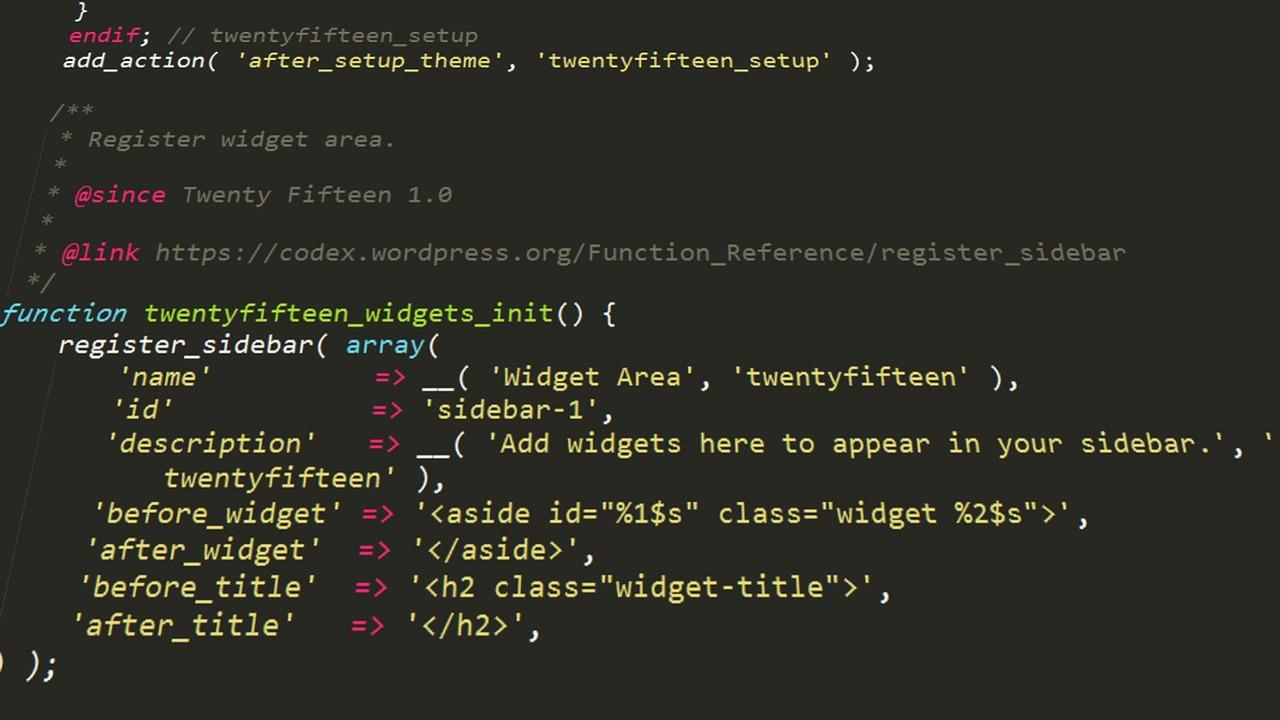
- For WordPress, navigate to the Appearance section and select Widgets.
- Drag the HTML widget to your desired sidebar or footer area.
- Paste the code provided by your Google Reviews widget provider, including your API key.
Customize and Style the Widget
Once installed, it’s time to customize the widget to ensure it fits seamlessly with your website. Adjust the following settings:
- Layout: Choose between grid, list, or carousel formats.
- Colors: Match the widget colors to your website theme.
- Fonts: Select fonts that are consistent with your branding.
Test and Optimize
After customization, preview the widget on different devices to ensure it displays correctly. Here are some additional optimization tips:
- Regularly check for updates from your widget provider to maintain functionality.
- Monitor user interaction with the widget to gauge its effectiveness.
- Encourage customers to leave reviews to keep your content fresh and relevant.
Choosing the Right Widget: Features to Look For
When selecting a Google Reviews widget for your website, it’s essential to focus on features that not only enhance user experience but also boost your online credibility. Here are the key characteristics to consider:
- Customization Options: Look for a widget that allows you to personalize its appearance to match your brand’s aesthetics. Whether it’s changing colors, fonts, or layout, the ability to tailor the widget can significantly improve its integration into your site.
- Responsive Design: Ensure the widget is mobile-friendly. With more users accessing websites through their smartphones, it’s crucial that your Google Reviews widget looks great on all devices.
- Real-Time Updates: Choose a widget that offers automatic updates. This ensures that your potential customers see the most current reviews, reflecting your ongoing commitment to customer satisfaction.
- Easy Installation: A straightforward setup process can save you time and effort. Opt for a widget that provides clear instructions or one-click installation, allowing you to focus on your business rather than technicalities.
Another important aspect is the data analytics. Some widgets come equipped with analytics tools that help you track how many users interact with your reviews. This data can be invaluable for understanding your audience and refining your marketing strategies.
Additionally, consider the customer support offered by the widget provider. A responsive support team can make a significant difference, especially if you encounter any issues during installation or usage. Look for options that provide comprehensive documentation and responsive customer service.
| Feature | Importance | Notes |
|---|---|---|
| Customization | High | Aligns with brand identity. |
| Responsive | Critical | Essential for mobile users. |
| Real-Time Updates | Very High | Keeps reviews current. |
| Analytics | Moderate | Helps track interaction. |
| Support | High | Crucial for troubleshooting. |
selecting the right Google Reviews widget involves careful consideration of various features that align with your website’s goals. By prioritizing customization, responsiveness, and support, you can ensure that your widget not only displays customer feedback effectively but also enhances your overall online presence.
Customizing Your Widget for Maximum Impact

Strategies to Encourage More Positive Reviews
To foster a culture of positivity around your brand, consider implementing a few key strategies that can inspire your customers to share their experiences. These approaches not only enhance customer engagement but also build a loyal community around your business.
- Make It Easy: Simplify the review process by integrating a user-friendly Google Reviews widget on your website. This allows customers to leave feedback without navigating away from your page, increasing the likelihood of positive responses.
- Ask for Feedback: A proactive approach can work wonders. Send follow-up emails or messages to thank customers and encourage them to share their thoughts. Personalize these requests to show you value their opinions.
- Incentivize Reviews: Consider offering small incentives like discounts or exclusive content in exchange for reviews. This not only motivates customers to leave feedback but also highlights your appreciation for their time and effort.
- Highlight Positive Feedback: Showcase existing positive reviews prominently on your website. This not only builds trust but also encourages other customers to contribute their experiences, knowing their feedback will be valued.
Engagement doesn’t stop with asking for reviews. It’s vital to respond to all feedback, whether positive or negative. By acknowledging customer comments, you create a dialogue that can significantly enhance satisfaction and loyalty. Here’s how:
- Respond Promptly: Timely responses to reviews show that you care about customer feedback and are committed to improving their experience.
- Be Gracious: When customers leave positive reviews, thank them! Gratitude can go a long way in encouraging future feedback.
- Address Concerns: For negative reviews, respond constructively. Offer solutions or apologies, demonstrating your commitment to customer satisfaction.
| Review Type | Recommended Action |
|---|---|
| Positive | Thank the reviewer and invite them back. |
| Negative | Apologize, offer a remedy, and encourage further dialogue. |
| Neutral | Thank them for their feedback and ask for suggestions. |
build a community around your brand. Engage with customers through social media or events and encourage them to share their experiences. A loyal customer base is more likely to leave positive reviews and promote your business organically. By implementing these strategies, you can create a cycle of positivity that not only enhances your online reputation but also enriches customer relationships.

Leveraging Reviews to Boost Your SEO Rankings
In the digital age, online reviews have become a cornerstone of a successful SEO strategy. When potential customers search for services or products, they are often influenced by the experiences of others. By integrating a Google Reviews widget into your website, you can effectively harness the power of these testimonials to improve your visibility in search engine results.
Here’s why utilizing reviews can dramatically boost your SEO rankings:
- Increased User Engagement: Displaying genuine reviews on your site encourages visitors to spend more time engaging with your content, which can signal to search engines that your website is valuable.
- Enhanced Local SEO: Google prioritizes local businesses in search results. Having a dedicated space for reviews can help you climb the ranks in local search queries.
- Fresh Content: Regular updates from new reviews provide fresh content for your site, which is a key factor search engines like Google consider when ranking pages.
- Improved Click-Through Rates: Positive reviews can enhance your website’s snippet in search results, making it more appealing and increasing the likelihood of clicks.
Implementing a Google Reviews widget is not just about displaying star ratings. It’s about creating a narrative that resonates with prospective clients. When potential customers see positive feedback right on your homepage, it builds trust and reinforces the credibility of your brand. This seamless integration can be done through various plugins available for platforms like WordPress, which allows for easy setup with no technical expertise required.
To illustrate the impact, consider this comparison of two hypothetical businesses:
| Business | Average Rating | SEO Rank |
|---|---|---|
| Business A (No Reviews) | 2.5 Stars | 5th Page |
| Business B (With Google Reviews Widget) | 4.8 Stars | 1st Page |
The difference is clear. Business B, leveraging the power of customer feedback, enjoys a much higher presence on search engine results. This can translate to more visitors, increased conversions, and ultimately, a more robust bottom line. Emphasizing the positive narratives told by your satisfied customers can serve as a powerful marketing tool.
Incorporating a Google Reviews widget isn’t merely a tactical move; it’s a strategic investment in your brand’s digital footprint. As you empower your website with authentic reviews, you are not just boosting your SEO; you are cultivating a community of loyal customers who feel valued and heard. With every review, you’re setting the stage for more visibility, trust, and engagement, creating a cycle that enhances your business’s online presence.

Ensuring Mobile Responsiveness for Optimal User Experience
With the increasing reliance on mobile devices for browsing the web, ensuring that your website is mobile responsive is essential for delivering an optimal user experience. A responsive design adapts seamlessly to different screen sizes, allowing visitors to interact with your site effortlessly, whether they are using a smartphone, tablet, or desktop computer.
Integrating a Google Reviews widget not only enhances your site’s credibility but also contributes to a mobile-friendly layout. Here are some key considerations for achieving mobile responsiveness:
- Fluid Grids: Use fluid grid layouts that scale with the screen size. This approach ensures that your content adjusts naturally, preventing awkward scrolling and zooming.
- Flexible Images: Images should resize within their containing elements. Make sure images are not only visually appealing but also responsive so that they maintain quality on various devices.
- Media Queries: Employ CSS media queries to apply different styles based on screen size. This technique allows for customized experiences that enhance usability on mobile devices.
- Touch-Friendly Design: Design buttons and interactive elements with touch in mind. Ensure that they are large enough for users to tap easily, thereby minimizing frustration.
Incorporating a Google Reviews widget can significantly boost your site’s engagement. Here’s how it plays into mobile responsiveness:
| Feature | Mobile Benefit |
|---|---|
| User-Generated Content | Increases trust on mobile, leading to higher conversions. |
| Real-Time Updates | Ensures visitors always see the latest reviews, keeping content fresh. |
| Simple Integration | Easy to add to any responsive design without compromising layout. |
Moreover, the integration of a Google Reviews widget can enhance the mobile experience by providing potential customers with immediate social proof. As users scroll through reviews on their devices, they’re more likely to engage with your business, making a responsive layout critical for capturing and retaining interest.
Ultimately, prioritizing mobile responsiveness is not just about aesthetics; it’s about creating a user-centric experience that drives engagement and conversions. By seamlessly integrating tools like the Google Reviews widget, you can ensure that your website not only looks good on any device but also functions effectively, paving the way for success in today’s digital landscape.

Showcasing Testimonials to Drive Engagement and Conversions
Harnessing the power of social proof can significantly elevate your website’s credibility and appeal. By integrating a Google Reviews Widget, businesses can effortlessly showcase authentic testimonials from satisfied customers. These reviews not only establish trust but also encourage potential clients to convert, knowing they’re making an informed decision backed by real experiences.
Imagine a prospective customer landing on your site and seeing glowing feedback from previous clients. This instant validation can make all the difference. Consider the following benefits:
- Increased Trust: Displaying real reviews demonstrates transparency and builds confidence in your brand.
- Enhanced Engagement: Customers are more likely to spend time on your site when they see positive interactions from others.
- Higher Conversions: Reviews can directly influence buying decisions, leading to an increase in sales and inquiries.
To maximize the impact of your testimonials, consider strategically placing the Google Reviews Widget in key areas of your website. Here are a few effective locations:
- Homepage: Make a strong first impression by featuring reviews front and center.
- Product Pages: Reinforce purchasing decisions with relevant feedback right next to product information.
- Checkout Page: Alleviate concerns during the buying process with reassurance from previous customers.
Moreover, showcasing a variety of reviews can cater to different customer concerns. Consider presenting reviews in an organized format:
| Rating | Customer Name | Review Snippet |
|---|---|---|
| ⭐⭐⭐⭐⭐ | Jane D. | “Exceptional service and quality!” |
| ⭐⭐⭐⭐ | Mark S. | “Very pleased with my purchase.” |
| ⭐⭐⭐⭐⭐ | Lisa T. | “Will definitely recommend to friends!” |
By leveraging these testimonials creatively, you will not only engage visitors but also inspire them to join the ranks of your satisfied customers. The Google Reviews Widget transforms your website into a platform of trust and reliability, setting the stage for growth and success.
Tracking and Analyzing Review Performance for Continuous Improvement
Tracking and analyzing review performance is essential for businesses striving for excellence and growth. By utilizing tools like the Google Reviews Widget, you can effortlessly integrate customer feedback into your website, providing a real-time snapshot of your reputation. Understanding how your reviews perform not only helps you gauge customer sentiment but also informs your strategy for continuous improvement.
Key Metrics to Monitor:
- Overall Rating: Keep an eye on your average star rating to assess your brand’s standing.
- Review Volume: The number of reviews can indicate customer engagement and satisfaction levels.
- Response Rate: Track how often you respond to reviews; timely responses can enhance customer loyalty.
- Sentiment Analysis: Analyze the tone of reviews to identify strengths and areas for improvement.
Implementing a systematic approach to review analysis can transform feedback into actionable insights. Establish a routine to:
- Collect data on reviews weekly or monthly.
- Segment reviews based on themes or specific areas of your business.
- Identify patterns over time to inform product development or service enhancements.
Utilizing a Google Reviews Widget empowers you to visualize this data effectively. Consider creating a table to summarize your review performance:
| Review Period | Average Rating | New Reviews | Responses |
|---|---|---|---|
| Last Month | 4.5 | 15 | 12 |
| Last Quarter | 4.3 | 50 | 40 |
| Last Year | 4.2 | 200 | 180 |
By regularly analyzing this data, you can identify trends and adjust your strategies accordingly. Are there common complaints? What do customers rave about? Use this information to enhance customer experiences and foster loyalty. Furthermore, don’t forget to celebrate your wins—highlight positive reviews and use them in your marketing efforts!
Effective review management is a continuous cycle. As you respond to feedback, track the impact of your changes. This proactive approach not only improves customer satisfaction but also builds a positive online reputation. Stay committed to refining your approach, and you’ll likely see increased customer loyalty and an enhanced brand image.

Creating a Feedback Loop: Responding to Reviews Effectively
Engaging with your audience through their feedback is essential for building a thriving online presence. By responding to reviews effectively, you not only demonstrate that you value your customers’ opinions but also foster a community where potential clients feel encouraged to share their experiences. Here’s how to create a positive feedback loop:
- Timeliness Matters: Aim to respond to reviews promptly. A quick reply shows that you are actively engaged and care about customer satisfaction.
- Personal Touch: Always personalize your responses. Address the reviewer by name and reference specific details from their review to make them feel acknowledged.
- Stay Professional: Regardless of the tone of the review, maintain professionalism. Thank the reviewer for their feedback, and avoid getting defensive.
- Encourage More Feedback: Invite satisfied customers to leave additional reviews. This not only boosts your online reputation but also creates a continuous cycle of feedback.
- Implement Changes: If a review highlights an area for improvement, take it seriously. Show your customers that you’re listening by making necessary adjustments and informing them of the changes.
Consider creating a dedicated section on your website where visitors can easily read about how you handle reviews. This transparency builds trust and encourages more open dialogue. A well-structured table can showcase various aspects of your response strategies:
| Type of Review | Response Strategy |
|---|---|
| Positive Feedback | Thank the reviewer, share their feedback on social media. |
| Constructive Criticism | Acknowledge the issue, outline steps taken to address it. |
| Negative Review | Apologize, offer to resolve the issue privately, and invite them back. |
By implementing these strategies, you create an environment where feedback is not just welcomed but actively sought out. This two-way communication can significantly enhance customer loyalty and brand reputation. Remember, each review is a chance to improve and connect.
In the long run, adopting an effective review response strategy can lead to increased customer satisfaction, repeat business, and a vibrant online community that thrives on mutual respect and engagement. Start implementing these tips today and watch how your feedback loop transforms into a powerful tool for growth.
The Future of Customer Feedback: Embracing Technology and Innovation
In an era where customer voices echo louder than ever, businesses are increasingly recognizing the need to harness technology to capture and respond to feedback. With the advent of tools like the Google Reviews Widget, companies can seamlessly integrate customer insights into their online presence, fostering a culture of transparency and responsiveness.
Imagine a world where potential customers can effortlessly access real feedback from real people about your products or services. This not only builds trust but also enhances your brand’s credibility. Here are just a few reasons why adopting a Google Reviews Widget is a game-changer:
- Instant Access: Customers can view reviews without navigating away from your site.
- Real-Time Updates: Keep your reviews current and relevant, showcasing your latest customer interactions.
- Enhanced User Experience: A user-friendly interface encourages visitors to engage with your content more effectively.
- SEO Boost: Fresh content from reviews can improve your website’s search engine ranking.
Furthermore, the ability to respond to customer feedback directly through your website can significantly enhance customer satisfaction. Prompt responses demonstrate that you value customer opinions and are committed to continuous improvement. This two-way communication not only strengthens customer relationships but can also lead to invaluable insights that drive innovation.
As businesses lean into the power of technology, the integration of customer feedback mechanisms like the Google Reviews Widget becomes essential. Below is a simple comparison of how traditional feedback methods stack up against modern technological solutions:
| Aspect | Traditional Methods | Google Reviews Widget |
|---|---|---|
| Accessibility | Limited to specific platforms | Available directly on your website |
| Response Time | Delayed | Immediate |
| Engagement | Passive | Active and interactive |
| Insights | Basic feedback | Diverse and actionable data |
Embracing this kind of technology not only positions your brand as forward-thinking but also empowers you to meet the evolving expectations of your customers. As feedback becomes an integral part of the customer journey, leveraging tools like the Google Reviews Widget ensures that you stay ahead of the curve. It’s time to not just listen to your customers, but to create a platform where their feedback can genuinely shape your business’s future.
Elevate Your Brand’s Reputation with Google Reviews Widgets
Harnessing the power of customer feedback can significantly enhance your brand’s visibility and credibility. Using a Google Reviews widget on your website is not just a technical enhancement; it’s a strategic move towards building trust with your audience. Here’s how integrating this tool can transform your online presence:
- Showcase Authenticity: Real reviews from genuine customers highlight your business’s authenticity. Potential clients are more likely to engage with brands that display transparent feedback.
- Increase Engagement: A reviews widget can captivate visitors, encouraging them to explore more of your site and ultimately convert into loyal customers.
- Boost SEO: Google favors sites with user-generated content. By incorporating a reviews widget, you not only provide fresh content but improve your chances of ranking higher in search engine results.
- Enhance User Experience: A well-placed widget offers visitors easy access to reviews without navigating away from your site, making their experience seamless and informative.
When it comes to setup, the process is straightforward and often free, allowing businesses of all sizes to benefit without extensive investment. Here’s a quick comparison of available options:
| Widget Type | Cost | Features |
|---|---|---|
| Basic Google Reviews Widget | Free | Simple display of reviews, customizable design |
| Advanced Google Reviews Widget | Varies | Interactive features, review filtering, analytics |
| Premium Review Management Tool | Subscription-Based | Comprehensive review monitoring, competitor analysis |
By choosing the right widget that aligns with your needs, you can effortlessly integrate customer testimonials into your website’s design. Engaging visuals and easy navigation make it easier for visitors to read about positive experiences, fostering a sense of community and trust.
In addition, actively encouraging your satisfied customers to leave reviews can create a positive feedback loop. More authentic reviews lead to even greater customer trust, which is vital in today’s competitive landscape. As your Google Reviews grow, so will your brand’s reputation.
Ultimately, a Google Reviews widget is more than just a feature; it’s a vital asset to your online strategy. Elevating your brand’s reputation has never been easier—start integrating reviews today and watch your business thrive!
Frequently Asked Questions (FAQ)
Q&A: Google Reviews Widget – Free Setup for Your Website
Q1: What is the Google Reviews Widget?
A: The Google Reviews Widget is a powerful tool that allows businesses to showcase their Google reviews directly on their websites. This widget pulls in real-time customer feedback, displaying it in an engaging format that enhances your site’s credibility and appeal.
Q2: Why should I add a Google Reviews Widget to my website?
A: Showcasing your Google reviews is an excellent way to build trust with potential customers. When visitors see genuine feedback from previous clients, it fosters confidence in your products or services. Positive reviews can significantly influence buying decisions, making your site more persuasive and compelling.
Q3: Is it really free to set up the Google Reviews Widget?
A: Yes! Setting up the Google Reviews Widget is completely free. You can easily integrate it into your website without any hidden costs. This means you can enhance your online presence without breaking the bank, making it an ideal choice for businesses of all sizes.
Q4: How easy is it to install the Google Reviews Widget?
A: The installation process is incredibly straightforward. With user-friendly instructions and available support, even those with minimal technical skills can get it up and running in no time. Imagine the joy of seeing your customer feedback prominently displayed on your website, attracting new clients effortlessly!
Q5: What benefits can I expect after adding the widget?
A: Adding the Google Reviews Widget can lead to increased visitor engagement, improved search rankings, and ultimately higher conversion rates. By displaying authentic testimonials, you not only enhance your website’s aesthetic but also create a persuasive narrative that encourages visitors to take action.
Q6: Can I customize the look of the widget?
A: Absolutely! The Google Reviews Widget allows for customization to match your website’s branding. You can choose colors, fonts, and layouts that reflect your unique identity, ensuring that the widget seamlessly integrates into your overall design.
Q7: How does this widget boost customer trust?
A: Trust is essential in today’s digital marketplace. By prominently displaying your positive reviews, you demonstrate transparency and authenticity. Customers appreciate seeing real experiences from other buyers, which can significantly reduce hesitation and encourage them to choose your business over competitors.
Q8: How quickly can I see results after installation?
A: Many users report seeing a positive impact almost immediately after installation. As reviews start to showcase your strengths, visitors will feel more inclined to explore your offerings and make purchases, helping you to grow your business from day one.
Q9: What if I encounter any issues during setup?
A: Fear not! There’s abundant support and resources available to help you troubleshoot any issues. Whether through online tutorials, customer service, or community forums, assistance is just a click away, ensuring a smooth installation process.
Q10: How can I get started with the Google Reviews Widget?
A: Getting started is simple! Visit our website, follow the step-by-step instructions for installation, and watch as your Google reviews transform your site into a persuasive powerhouse. It’s time to turn your customer feedback into your strongest marketing tool—don’t miss out on this opportunity to inspire confidence in your brand!
Incorporating the Google Reviews Widget into your website is not just a technical upgrade—it’s an investment in your business’s future. Embrace the power of authentic customer feedback and let it shine on your platform, inspiring trust and encouraging growth.
The Conclusion
In a digital landscape where first impressions matter more than ever, harnessing the power of Google Reviews can set your website apart from the competition. The Google Reviews Widget offers a seamless, free setup that not only elevates your website’s aesthetic but also builds trust with potential customers. By showcasing authentic feedback, you create a compelling narrative that resonates with your audience, fostering a sense of community and loyalty.
Now is the time to take action! Embrace this innovative tool and transform the way you engage with your visitors. Remember, every review tells a story, and with the Google Reviews Widget, you can share those stories while highlighting your commitment to customer satisfaction.
Don’t wait for success to find you—take the initiative to enhance your online presence today. With just a few clicks, you can begin to cultivate a vibrant online reputation that attracts, informs, and inspires. Let your website be a beacon of authenticity and excellence, guiding customers straight to your door. Start your journey now and unlock the potential of your business with the power of reviews!

New Providers

Enjoy The Speed Of Downloading & Uploading With 1GBPS Port



Affordable Dedicated Servers & Colocation Services. Services: Dedicated Servers Colocation Private Cabinet Colocation DDoS Protection

Up to 85% off hosting + website builder

We specialize in providing Web hosting reviews. Where you can search for potential hosts.